

Samsung Rugby III
Verdict
Key specs
Critic consensus

“Although I like the phone's aesthetics, based on poor call quality in my tests, I can't recommend buying the Rugby 3 for personal or company use. That said, I didn't get to try the push-to-talk capabilities, which could redeem the phone for some parties. Call quality also varies by area, so AT&T customers might try the phone out in their region before making a final decision”

“The Samsung Rugby III isn’t a sleek phone, nor is it a smart phone. It is intended to be a big, rugged device that can withstand rough environments. While it performed as expected as a phone, it unfortunately was not able to meet the advertised certifications. The only reason you buy a phone like the Rugby III is because you’re hard on them, and it doesn’t seem like the phone can stand up to that kind of punishment.”

“The Rugby III is a jack of all trades, but master of none. If you're looking for a basic handset that can withstand some abuse, it manages to accomplish that with ease. Nearly every other feature, however, earns a B at best.The biggest detractor is call quality. It's simply not good enough, not for a device that is mostly likely to be used as a dedicated voice phone. Further, as a PTT device, the speakerphone should be incredibly loud. It isn't, not by a long shot. Battery life is stellar, though. The messaging and media features are on par with other devices in this class, which is to say they are rudimentary at most.”
Watch before you decide






In Depth
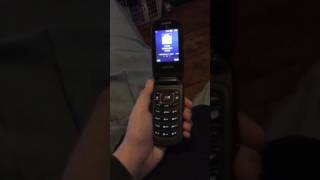
The Samsung Rugby 111 is a flip phone with an internal and external display, alpha-numeric keypad with large keys, and a battery rated for up to 9 hours of talk time. It features push-to- talk for walkie-talkie-esque capabilities, a speakerphone, microSD and a 3.5mm jack. The external display shows date, day, time, battery remaining indicator, etc., and rests just below a large speakerphone grille.
As the name implies, the Rugby 111 is designed to be durable. Built to military specs, Sony claims it can withstand dust, rain, shock, vibration, humidity and can be submerged underwater for up to 30 minutes.
However, some reviewers found the phone unable to deliver on some of its promised durability. Phonearena subjected the phone to two inches of water for 30 minutes. “After 30 minutes we retrieved it to find the device powered off and unwilling to power back on.”
Most reviewers found the call quality to be subpar. CNET said it was “sadly, one of the worst audio experiences I’ve had in a long time, and on a simple cell phone like this, that’s inexcusable.” Phonescoop said the quality “is abysmal. Every conversation I had sounded like I was talking through a wall.”
There’s a basic WAP browser onboard and a 3 megapixel camera that can shoot 320 x 340 video through a variety of modes. The phone also lets you set up restrictions on calls, messaging and access to the address book. “This is handy for businesses looking to deploy fleet phones, since they can ensure that the phones be used only for business purposes,” Phonearena said.
Most reviewers were underwhelmed by this phone. CNET summed up by saying, “although I like the phone’s aesthetics, based on poor call quality in my tests, I can’t recommend buying the Rugby 3 for personal or company use.”
What people actually want to know
When was the Samsung Rugby III released?
The Samsung Rugby III was released on December 14, 2012.
How long does the battery last on the Samsung Rugby III?
The Samsung Rugby III has a 1,300 mAh battery.
Does the Samsung Rugby III have a headphone jack?
Yes, the Samsung Rugby III has a 3.5mm headphone jack.
Where can I get support for the Samsung Rugby III?
Visit Samsung's official support page for warranty info, repairs, and troubleshooting.
Where can I download the Samsung Rugby III manual?
You can view and download the Samsung Rugby III manual on our dedicated manual page.
Questions & answers
Loading answers…
Loading answers…
✓ Question submitted. We'll notify you when someone answers.
We sent a verification link to . Click it to publish your question.
Can't find it? Check your spam folder.
Finish the security check above to post your question.
Your name shows with your question.
How it compares


New phones, honest scores.
One email when something worth knowing changes. No deal spam, no filler.
Well that's odd. What was the last thing that you did before that happened? Also, please drain your battery then fully charge it while it's off. Then see if that changes anything.