

Key specs
Critic reviews
No Cellphones.ca Score yet. We calculate one once enough reviews include a score.

“All told, I really like Samsung's offering in the Gravity, returning to a familiar form of cell phones and packing in new features that mobile users crave, including a full QWERTY keypad and support for e-mail.I wish it had a 3.5mm headphone jack and threaded SMS support, though. I would also redesign the numeric keypad a bit to make the individual keys easier to distinguish.I would highly recommend the Samsung Gravity to anyone seeking a phone in this price category and looking for solid messaging features. The size is great, it feels light, and it looks great in either the lime color that I reviewed or the other available color, aqua.”
Watch before you decide





In Depth
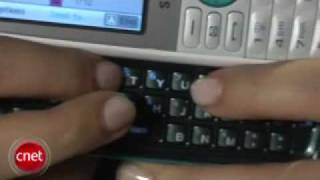
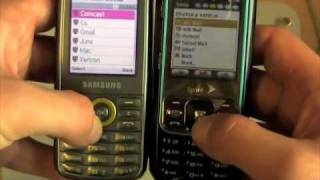
The Samsung Gravity is a candy bar phone that slides open lengthwise, revealing a spacious, full QWERTY keyboard. The Gravity is yet another in a series of new phones from Samsung that puts a quality QWERTY keyboard in the hands of casual users who like to text but do not want a full-blown smartphone.
When closed, the Gravity offers a slim, if not a bit thick, profile, with an alpha-numeric keypad, a 2.1-inch, 176 x 220 pixel resolution display, navigation array and several familiar dedicated keys to make phone calls and other simple tasks….simple.
But with the flip of the thumb you also have access to a full QWERTY keyboard, making text messaging and emailing not only easy, but a real pleasure. For an entry-level phone with a focus on texting, the Samsung Gravity does a nice job.
Beyond the thoughtful use of the QWERTY keyboard, the Gravity offers a 1.2 MP camera, customizable 1,000 contact address book, speakerphone, MMS, basic MP3 player, voice recorder and instant messaging via all major IM services.
People who use their phones primarily for calls and texting will enjoy the form factor and ease of use. The other features will simply be a bonus.
Pros: Horizontal slider form factor allows for a spacious keyboard, fun features, easy to use.
Cons: Limited capability, display resolution could be crisper. Call quality could better.
Verdict: A smart choice for a non-smartphone. Folks looking for a durable phone that makes texting easy should consider the Samsung Gravity.
What people actually want to know
When was the Samsung Gravity released?
The Samsung Gravity was released on November 7, 2008.
How long does the battery last on the Samsung Gravity?
The Samsung Gravity has a 800 mAh battery.
Does the Samsung Gravity have a headphone jack?
Yes, the Samsung Gravity has a 2.5mm headphone jack.
Where can I get support for the Samsung Gravity?
Visit Samsung's official support page for warranty info, repairs, and troubleshooting.
Where can I download the Samsung Gravity manual?
You can view and download the Samsung Gravity manual on our dedicated manual page.
Questions & answers
Loading answers…
Loading answers…
✓ Question submitted. We'll notify you when someone answers.
We sent a verification link to . Click it to publish your question.
Can't find it? Check your spam folder.
Finish the security check above to post your question.
Your name shows with your question.
How it compares


New phones, honest scores.
One email when something worth knowing changes. No deal spam, no filler.
Hi Sonya! Please download the manual that you can find in Samsung Gravity page here in The Informr. Open the manual to page 5 to see how to replace the SIM card.