

Samsung Galaxy Note5
Verdict
Key specs
Critic consensus

“Is the Galaxy Note 5 worth the upgrade if you already have a Note 4 or Galaxy S6? The push-button S Pen is genuinely ergonomic and more than just a novelty feature, while the brighter and more accurate display will easily draw in enthusiasts. For existing Note 4 owners, however, the Note 5 feels more like a sidestep than an upgrade since it takes away almost as many features (MHL, IR blaster, removable battery, MicroSD) as it adds (Fingerprint reader, push-button S Pen, improved display, thinner design). Meanwhile, S6 owners would simply be moving onto a larger display with essentially identical internal hardware. A more appropriate name for this model would have been the Galaxy Note S6 as it doesn't feel like a true leap forward compared to the excellent Note 4.For everyone else, the Galaxy Note 5 is worth a closer hands-on test. Its S Pen in particular will make or break the deal as some users may find it incredibly useful for their daily tasks, while others may find the pen to be too small to comfortably hold for extended periods. This reviewer falls in the latter camp, but the dazzling display and promising S Pen features shouldn't be overlooked, either.”

“The Note 5 is a gorgeous phablet, and the S Pen is its unique strength. If you like the idea of writing on the screen of your phone, nothing else will satisfy in quite the same way. That power is wrapped up with the best phablet camera available today, an incredibly fast processor, and an attractive, premium design.”

“The S Pen and the superior hardware are more than enough to keep the device head and shoulders above its closest competitor. The fact that the latter is a Samsung device speak volumes about the body of work the company has done since founding the segment back in 2011. Even though it lacks a microSD card slot and a removable battery, Samsung Galaxy Note5 is still the measuring stick for what a flagship phone with large screen should do and a darn great piece of hardware. Therefore, we find the device easy to recommend to anyone with the budget to pick one up.”

“This phone may not feel like a power user’s device anymore, and people who feel that way are completely validated in doing so. For those who expected more, this new iteration feels too much like the Galaxy S6 in terms of what features it leaves out. On the flip side, the Note 5 takes the best of what the Galaxy S6 offered and brings it to a bigger and better package. The stellar display is even better at 5.7-inches, the performance is super smooth and reliable for any and all usage levels, and the camera is one of the best in Android today. Expandable storage and replaceable batteries might be missed, but we were still able to enjoy the Note in spite of that. If we work with what is given, this phone still delivers. At first look, many people were not convinced that the device was worth the upgrade, but spend some time with it, and there is a good chance that you will fall in love with the Note, just like you did before.”
Watch before you decide


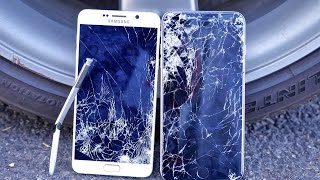
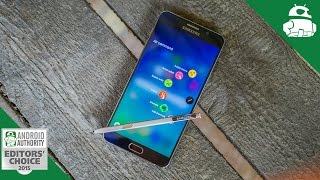



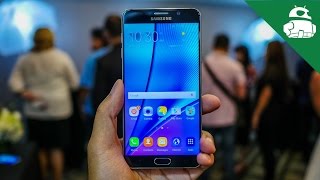


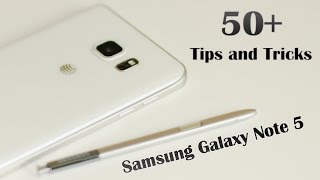
In Depth
While other phone manufacturers have turned their nose up at the stylus, Samsung has fully embraced it with their Note5 smartphone. Of course, Samsung knows a thing or two about a stylus smartphone as all their Note models ship with one. Besides this addition, reviewers consider the Note5 the least distinctive in terms of overall design. In fact, many find it practically identical to the Galaxy S6 as it has completely straights sides, flat face and slightly curved rear. At 6 x 3 x 0.3 inches, it definitely is a large device. Still, experts explain it had an overall slim feeling to it thanks in part to a thinner middle and thicker top and bottom edges. In a departure from its older models, Samsung decked out the Note 5 with metal edges and a glass back. Sadly, experts did notice the glass back attracted fingerprints, but add the issue is easily remedied with a quick wipe.
The reason for the Note5’s large size is due to the 5.7-inch Super AMOLED display. With a resolution of 1,440 pixels, it offers an incredibly sharp 518 pixels per inch. As expected, reviewers had zero issues with fuzziness or pixelization. As an AMOLED screen, it offered critics crisp whites, deep blacks and vibrant albeit oversaturated colors. They also praise its overall brightness with Engadget stating, “…the screen is an absolute champ under the sweltering summer sun…I had no problem thumbing through…various photo sets.”
To keep the Note5 humming along it is equipped with 4GB of RAM and eight cores: 4 are clocked at 2.1GHz and the other 4 at 1.5GHz. As with other octo-core processors, all eight do not run at the same time. Instead, the more powerful processors only kick in when you use more intensive apps. Reviewers didn’t notice any hiccups or lag during basic or advanced tasks and they describe overall performance as “zippy” and “snappy.” Despite the Quad HD display and octo-core processor, experts were able to squeeze around 15 hours during their battery draining tests. Of course, this number can change depending on how it is used as things like gaming and connecting to 4G tend to eat up a lot of juice. When you eventually do need a recharge, the Note5 offers two ways to charge – via the standard microUSB or wirelessly through Qi. Unfortunately, the battery is not removable, which turned off some critics. The biggest drawback of the device for many experts is its limited space. It only comes in 32GB or 64GB models with no microSD slot.
The 16MP main camera provided critics with excellent pictures in most lighting situations. Under good lighting, they were able to capture crisp images and fairly accurate color thanks to its fast focus and sensor. Digital Trends did notice oversaturation occasionally, but adds that, “it doesn’t happen often…” Under low light situations, experts found the Note5 to beat out even the iPhone 6 providing very little digital noise and plenty of detail.
The most unique part of the Note5 is the S Pen stylus. For ease of access and use, there’s a dedicated chute for the pen and instead of pulling it out you simply need to press the end of the stylus to pop it out. For the most part, the stylus acts pretty much the same as previous models with a couple exceptions. One new feature is the addition of the “screen memo off” setting. This allows you to write directly on the screen when your screen is in “off” mode and any notes taken this will are saved in the S Notes app. Once again, you can also write directly on the screen and save the images you create as PNG files. Unfortunately, experts discovered they could not send these via text and instead had to go through several steps in order to SMS their images to friends. While they note it is fun to use the S Pen, they eventually stopped using it after the novelty wore off.
While the Note5 might not be reinventing the wheel, critics believe it is a solid offering for those looking to upgrade. Tech Radar states, “…the Note 5 is still worth the upgrade. The S Pen-compatible phablet is mightier, and is the one Google Nexus and iPhone 6 Plus need to beat.” CNET adds, “The Note5 is a terrific device with strengths in its stylus capabilities and flashy design.”
What people actually want to know
When was the Samsung Galaxy Note5 released?
The Samsung Galaxy Note5 was released on August 21, 2014.
How long does the battery last on the Samsung Galaxy Note5?
The Samsung Galaxy Note5 has a 3,000 mAh battery.
Does the Samsung Galaxy Note5 have a headphone jack?
Yes, the Samsung Galaxy Note5 has a 3.5mm headphone jack.
Does the Samsung Galaxy Note5 have NFC?
Yes, the Samsung Galaxy Note5 has NFC. You can use Google Wallet, Apple Pay, and tap-to-pair with Bluetooth accessories.
Where can I get support for the Samsung Galaxy Note5?
Visit Samsung's official support page for warranty info, repairs, and troubleshooting.
Where can I download the Samsung Galaxy Note5 manual?
You can view and download the Samsung Galaxy Note5 manual on our dedicated manual page.
Questions & answers
Loading answers…
Loading answers…
✓ Question submitted. We'll notify you when someone answers.
We sent a verification link to . Click it to publish your question.
Can't find it? Check your spam folder.
Finish the security check above to post your question.
Your name shows with your question.
How it compares


New phones, honest scores.
One email when something worth knowing changes. No deal spam, no filler.
Hi Dickson. Yes, it should work although LTE won't cause up to this moment, Chatr still doesn't support it.