

Key specs
Watch before you decide





In Depth
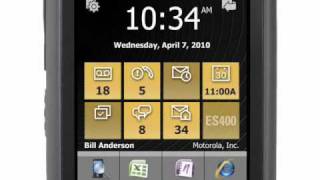
Until recently, military spec phones were usually of the clamshell variety, but the Motorola ES400 changes that. The ES400 is a rugged candybar smartphone featuring a 3.2 inch touchscreen display and a fully QWERTY keypad. Running Windows Mobile 6.5.3 Professional, the ES400 offers a 3.2MP camera with flash, video record, MP3 player, and full HTML browser.
The ES400 features Push to Talk, GPS, WiFi, Bluetooth and expandable memory up to 32GB via microSD/microSDHC.
The Motorola ES400 meets military specifications for temperature, dust and shock, and offers a talk time of up to 6 hours and a standby time of up to 250 hours.
What people actually want to know
When was the Motorola ES400 released?
The Motorola ES400 was released on December 31, 2010.
How long does the battery last on the Motorola ES400?
The Motorola ES400 has a 1,540 mAh battery.
Does the Motorola ES400 have a headphone jack?
Yes, the Motorola ES400 has a 2.5mm headphone jack.
Where can I get support for the Motorola ES400?
Visit Motorola's official support page for warranty info, repairs, and troubleshooting.
Where can I download the Motorola ES400 manual?
You can view and download the Motorola ES400 manual on our dedicated manual page.
Questions & answers
Loading answers…
✓ Question submitted. We'll notify you when someone answers.
We sent a verification link to . Click it to publish your question.
Can't find it? Check your spam folder.
Finish the security check above to post your question.
Your name shows with your question.
How it compares


New phones, honest scores.
One email when something worth knowing changes. No deal spam, no filler.
To install the SIM card: 1. Hold the ES400 firmly in two hands with the back facing you. 2. With thumbs, push the battery cover toward the bottom of ES400. 3. Lift the battery cover off the ES400. 4. Remove the battery 5. Insert the SIM card into the SIM card holder with the contacts facing out and the card notch facing up. 6. Close the SIM card holder and slide down to lock into place. Ensure that the SIM card is fully inserted and lying flat. Ensure that the end of the card is not laying on top of the SIM Card tab. Source: Motorola ES400 Manual