Skip to content
Home…›Micromax
Micromax Android 4.4.2 KitKat Released Jul 2014 Discontinued

Micromax Bolt A069

Android 4.4.2 KitKat Operating system
5" Screen size
5MP Main camera
MT6572 Dual core Processor
4 GB Storage
1,800 mAh Battery
By category

Key specs

Video reviews

Watch before you decide

Reviews
Micromax Bolt A069 hard reset
Rohan Yadav
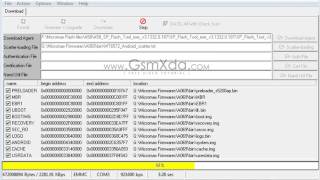
How To Software Or Flashing Micromax Bolt A069 By Bharat Malviya
Bharat Tech
Micromax Bolt A069 Hard reset
Techno Zone
micromax bolt a069 hard reset,micromax a069 pattern lock solution
OHM MOBILE SOLUTIONS
micromax bolt a069 pattern unlock, flashing,hardrest solution
OHM MOBILE SOLUTIONS
Micromax Bolt A069 Flash done with flash tool by GsmHelpFul
GSM Helpful
Micromax Bolt A069 camera sample 720p
Gogi Tech
Micromax Bolt A069 Hard Reset, Format Code solution
Mobile Hard Reset
Micromax bolt A069 hard reset
Saiyed Abdul
How to Hard Reset Micromax Bolt A069 and Forgot Password Recovery, Unlock, Factory Reset
Krishna99
How To Flashing Or Software Micromax Bolt A069 By Bharat Malviya
Bharat Tech
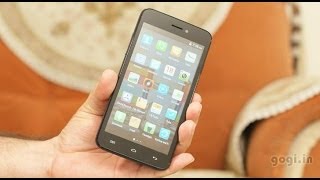
Micromax Bolt A069 review it’s 2G with fixed focus camera
Gogi Tech
How To Flashing Or Software Micromax Bolt A069 By Bharat Malviya by tridev sharma
Tridev Sharma
Specifications
Full specs
Overview
Released Jul 2014
Announced —
Price tier —
Also Known As Micromax A069 Bolt
Processor MediaTek MT6572 Dual core
CPU Speed 1300MHz
RAM 1GB
Storage 4 GB
Price (CAD) —
Regions USA, Canada
Regional Variants —
Warranty 1 Year
Accessories AC Charger, Manual, Standard Battery
Software & Support
OS Android
OS at Launch 4.4.2 KitKat
Current Version —
OS Updates —
Security Updates —
Custom UI —
Display
Type Color
Technology Unknown
Size 5"
Resolution 480 × 854
Pixel Density 196 ppi
Colors 16.7 million
Refresh Rate —
Touch Sampling Rate —
Peak Brightness —
Always On Display
DC Dimming
DisplayMate Grade —
Multi-touch
Fingerprint Resistant
Sensors Ambient Light, Proximity, Motion / Accelerometer
Additional Features Capacitive touch screen
Secondary Display
Secondary Display
Type —
Size —
Resolution —
Color Type —
Colors —
Camera — Main
Main Camera 5MP
Flash Yes
Sensor Name —
Sensor Size —
Focal Length (Main) —
Focal Length (Ultrawide) —
Focal Length (Telephoto) —
Optical Zoom —
Digital Zoom —
Video Resolution —
Video FPS —
Video Length —
Video Formats MPEG-4
Features Geotagging, Panorama
Additional Info -
Camera — Front
Front Camera
Video Recording
Resolution VGA (640 x 480)MP
Video Resolution —
Video FPS —
Zoom Unknown
Optical Zoom —
Digital Zoom —
Features —
Additional Info -
Camera — Scores
DxOMark Overall —
DxOMark Photo —
DxOMark Video —
DxOMark Zoom —
DxOMark Bokeh —
DxOMark Selfie —
DxOMark Rank —
Performance
Chip MediaTek MT6572 Dual core
Process Node —
GPU —
RAM 1GB
Storage 4 GB
AnTuTu v11 —
Geekbench 6 Single —
Geekbench 6 Multi —
Geekbench 5 Single —
Geekbench 5 Multi —
Battery
Capacity 1,800 mAh
Type Lithium-Ion (Li-Ion)
Removable
Fast Charging —
Wireless Charging —
Comes with Charger —
Talk Time 7h 00m
Video Playback —
Internet (WiFi) —
Internet (Cellular) —
Standby 8h 48m
Mixed Usage —
Charge Time 0–100% —
Charged in 30 Min —
GSMArena Score —
Battery Test Source —
Battery Life (Call) —
Battery Life (Video) —
Battery Life (Web) —
Battery Life (Gaming) —
Connectivity
Wi-Fi Wi-Fi b/g/n
WiFi Version —
Bluetooth 4.0
Bluetooth Profiles OPP/FTP
Bluetooth Codecs SBC
USB Type Micro-USB 2.0
USB OTG
USB Speed —
NFC
Infrared
Headset Jack 3.5mm
Mobile Hotspot
GPS
GPS Type A-GPS
UWB
Satellite —
Memory Expansion
Expansion Type MicroSD, MicroSDHC
Expansion Capacity 32MB
Cellular
Networks GPRS, EDGE
2G MHz
900 1800
Data —
VoLTE Unknown
WiFi Calling Unknown
Physical SIM Yes
Dual SIM
eSIM
Push to Talk
Data Tethering
Design & Build
Form Factor Bar
Material Plastic
Frame Material —
Rear Material —
Colors Tranquil Green, Pure Gray, Raging Red, Pristine White, Mellow Yellow
Dimensions —
Weight —
IP Rating —
Water Resistance Unknown
Fingerprint Sensor No
Rugged Design
iFixit Score —
Parts Availability —
Audio
External Speakers Yes
Noise Cancellation
Dolby Atmos
Hi-Res Audio
FM Radio —
GSMArena Loudness —
Speaker Loudness —
Input & Navigation
Touchscreen
Navigation Type Touchscreen
Keyboard Type Touchscreen
Home Key
Sleep/Wake Key
External Volume
Safety
SAR Head 0.73 W/kg
SAR Body 1.18 W/kg
Hearing Aid Compatible
TTY/TDD
More
Additional Information —
Additional Comments —
Related Links Official Website
Manual —
Quick Start Guide —

Specifications are sourced from manufacturers and third-party databases and may contain errors. Suggest a correction →

Common questions

What people actually want to know

When was the Micromax Bolt A069 released?
How long does the battery last on the Micromax Bolt A069?
Does the Micromax Bolt A069 support wireless charging?
Does the Micromax Bolt A069 have a headphone jack?
Does the Micromax Bolt A069 have NFC?
Community

Questions & answers

FI
firdos · Answered

How to upgrade micromax A069 in 3g 4g plz help me

You
DE
Devraj · Answered

Hi! Please check Settings > About phone > Software update Hope that helps!

You
HA
HARIHARAN · Answered

my mobile is screen blinked then switched off my display then when my mobile switched on my mobile automaticall mobile heated so... plz how to clear that3

SU
subas · Answered

my mobile Bolt A 69 have some problem .. its says (unfortunately, adobe air not work. measure has stopped etc.. so how can i solve this problem???

You
DH
dhruvsharma0011 · Answered

There is the hundred percent working method for rooting Micromax A 069 first 4 June you go to Google and search the king root app and download it and install it then go to Aeroplane mode and run it if this no twerk it maybe Run your data then open the connection turn on the data android King root Micromax A 069 hundred percent rooted because I have root this mobile

CA
Carl · Answered

Found a website that tells you how to do it. Not sure if it is working though. Try it at your own risk. Link: Click here!

You
GR
Grindale · Answered

Hi Ravi. No official Lollipop update yet for the Micromax Bolt A069. The only way you can upgrade to Lollipop now is to root your phone and install custom ROM.

You
CA
Carl · Answered

Hi there! Have you guys tried charging it first? Maybe you drained the battery.

You
JA
jatintyagi · Answered

my mobile wifi is not working

You
SU
surendr · Answered

godson about 1 month ago Why can't I install apps on the Micromax Bolt A069?

You
CA
Carl · Answered

Try this: Go to Settings > Call settings . Voice call > Additional settings > Call waitingLet me know if that works.

You
Have a question?
Micromax
Made by
Micromax
80
Phones reviewed
Cellphones.ca Newsletter

New phones, honest scores.

One email when something worth knowing changes. No deal spam, no filler.

By subscribing you agree to receive emails from Cellphones.ca. Unsubscribe anytime.

Compare is full