

Key specs
Critic consensus

“The first Cookie proved to be a smashing success for the manufacturer and it’s only logical to expect its successor will do equally good. However, the market for affordable handsets equipped with touch-sensitive screens has changed dramatically over the last year and the other players have already introduced their own (and quite capable at that) alternatives. The LG Cookie Plus GS500 comes with several truly nice novelty features like refreshed interface, 3G, 3.5mm jack and microUSB port. We highly doubt it the handset will manage to become as successful as its famous predecessor though, mostly due to the oversaturated market and despite all the novelty features it brings that make it a properly balanced cell phone.”
Watch before you decide


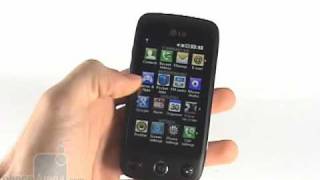

In Depth
The LG Cookie Plus is a candy bar GSM Quad-band phone capable of global roaming. It’s also the slightly scaled down version of the LG Renoir; it offers a 3MP camera instead of 8MP and lacks support for Wi-Fi and GPS.
The Cookie Plus has a 3-inch resistive touchscreen capable of rendering 240 x 400 pixel resolution. While that’s no longer cause for a floor show the Cookie Plus does provide crisp colors and is easy on the eyes.
Oddly, the Cookie Plus comes with a stylus, which I always thought was a collective geek nightmare from the 90’s. Still, users may well appreciate the stylus as an added input method.
Features of the Cookie Plus include the aforementioned 3MP camera, 2.1 Stereo Bluetooth, microSD expandable memory, MP3 player, FM radio and a full suite of the usual entry level features.
The LG Cookie Plus offers a talk time of up to 3.5 hours and a standby time of up to 350 hours.
What people actually want to know
When was the LG Cookie Plus released?
The LG Cookie Plus was released on April 29, 2010.
How long does the battery last on the LG Cookie Plus?
The LG Cookie Plus has a 900 mAh battery.
Does the LG Cookie Plus have a headphone jack?
Yes, the LG Cookie Plus has a 3.5mm headphone jack.
Where can I download the LG Cookie Plus manual?
You can view and download the LG Cookie Plus manual on our dedicated manual page.
Questions & answers
✓ Question submitted. We'll notify you when someone answers.
We sent a verification link to . Click it to publish your question.
Can't find it? Check your spam folder.
Finish the security check above to post your question.
Your name shows with your question.


New phones, honest scores.
One email when something worth knowing changes. No deal spam, no filler.
You can use the LG GS500 as a modem via a USB cable or by Bluetooth. Using a USB cable: 1. Ensure you have the LG PC Suite installed on your PC. 2. Connect your LG GS500 and your PC using the USB cable and launch the LG PC Suite software. 3. Click Internet Connection on your PC Suite. Then click Add and select Specific Operator setting required. 4. Click Connect and your PC will connect via your LG GS500. Using Bluetooth: 1. Ensure Bluetooth is switched On and Visible for both your PC and LG GS500. 2. Pair your PC and LG GS500 so that a passcode is required to connect them. 3. Use the Connection wizard on your LG PC Suite to create an active Bluetooth connection. 4. Click Communication on your PC. Then click Setting. 5. Click Modem. 6. Choose Standard Modem over Bluetooth link and click OK. It will now appear on the screen. 7. Click Connect and your PC will connect via your LG GS500.