

Verdict
Key specs
Watch before you decide

What people say
1 community rating · Recommendation data coming soon.
In Depth
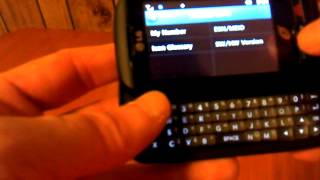
The LG 505C is a full touchscreen handset that also happens to have a built-in QWERTY keyboard. This keyboard slides out from behind the display and remains hidden when not in use. As you might have guessed, it comes in handy when it comes to long bouts of messaging on the go.
The 505C’s screen measures 2.8-inches diagonally, which is sizable for a phone of its kind. And while it only comes with a very small amount of internal memory, its contact list can hold up to 1000 entries and it can even send and receive files via Bluetooth wireless connectivity. It carries a 1-megapixel camera as a bonus.
As a simple feature phone, it offers a good amount of value for money. However, when compared with full-fledged smartphones in its price range, the 505C is made to look like an overpriced model that is to be avoided at all costs.
What people actually want to know
When was the LG 505C released?
The LG 505C was released on May 24, 2012.
How long does the battery last on the LG 505C?
The LG 505C has a 950 mAh battery.
Does the LG 505C have a headphone jack?
Yes, the LG 505C has a 3.5mm headphone jack.
Where can I download the LG 505C manual?
You can view and download the LG 505C manual on our dedicated manual page.
Questions & answers
Loading answers…
Loading answers…
✓ Question submitted. We'll notify you when someone answers.
We sent a verification link to . Click it to publish your question.
Can't find it? Check your spam folder.
Finish the security check above to post your question.
Your name shows with your question.


New phones, honest scores.
One email when something worth knowing changes. No deal spam, no filler.
Hi again Terri, I've been going through the manual myself and I have to agree with you. It doesn't mention anything about chat view for messages in the inbox at all. Are you sure you have managed to access this feature in the past, and saw message threads with separate text bubbles for sender and recipient? Try going to Inbox and pressing Options near the top right corner of the screen to see if you find a relevant option there. Or if that doesn't help, open any one message in the Inbox to see if the option might be present there instead. Let us know how it goes!