

Lenovo A7000
Key specs
Critic reviews
No Cellphones.ca Score yet. We calculate one once enough reviews include a score.

“Unfortunately, the multimedia features that were played up during the launch didn't live up to our expectations. This doesn't mean that the Lenovo A7000 cannot do multimedia at all, it just doesn't do anything extraordinary as advertised. All in all, the A7000 is a great phone and its price is its biggest advantage.”

“At the price tag of Rs. 8,999, the Lenovo A7000 is a decent smartphone and better than the A6000 in several aspects. It runs on Android 5.0 (Lollipop) out of the box and offers good battery life. We recently compared the A7000 with the Yu Yureka that is available at the same price and found that the Yu Yureka to be better in some aspects such as camera. The smartphone is only available through flash sales on Flipkart, which is common these days. If you are looking for a 4G smartphone with good display and solid battery life under Rs. 10,000, the Lenovo A7000 is a good option.”
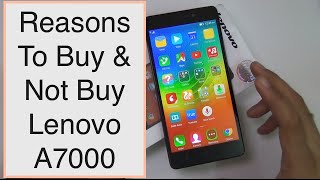
Watch before you decide







Overview
Software & Support
Display
Secondary Display
Camera — Main
Camera — Front
Camera — Scores
Performance
Battery
Connectivity
Cellular
Design & Build
Audio
Input & Navigation
Safety
More
Specifications are sourced from manufacturers and third-party databases and may contain errors. Suggest a correction →
What people actually want to know
When was the Lenovo A7000 released?
The Lenovo A7000 was released on March 31, 2015.
How long does the battery last on the Lenovo A7000?
The Lenovo A7000 has a 2,900 mAh battery.
Does the Lenovo A7000 support wireless charging?
No, the Lenovo A7000 does not support wireless charging.
Does the Lenovo A7000 have a headphone jack?
Yes, the Lenovo A7000 has a 3.5mm headphone jack.
Does the Lenovo A7000 have NFC?
No, the Lenovo A7000 does not have NFC. Contactless payments and tap-to-pair will not be available.
Where can I get support for the Lenovo A7000?
Visit Lenovo's official support page for warranty info, repairs, and troubleshooting.
Where can I download the Lenovo A7000 manual?
You can view and download the Lenovo A7000 manual on our dedicated manual page.
Questions & answers
Loading answers…
Loading answers…
✓ Question submitted. We'll notify you when someone answers.
We sent a verification link to . Click it to publish your question.
Can't find it? Check your spam folder.
Finish the security check above to post your question.
Your name shows with your question.
How it compares


New phones, honest scores.
One email when something worth knowing changes. No deal spam, no filler.
you need to do hard reset manuallyfor this.. backUp your apps Backup sms and contact to SD card switch of the phone remove SD Card insert batry again and now hold Volume (Up + Volume Down + Power Button) together keep holding it till it shows you the logo lenovo and it will quickly enter in Stock recoverythere u will see some Option reboot phone Install Update Reset Fuse data etc.select the third option and follow the screen instruction And format it..and click on Back then selectthe Fourth option And Then Follow the Screen instruction And Format it..and the Click On backNow click on rebootnow it will take so time About 5-10 min to start your device So Don't panic it will show you welcom screen after 5-10 minit will surely solve you problem