

Huawei Ascend Y550
Where reviewers agreed
- Positive: Affordable 4G connectivity · 3 sites
- Negative: Low resolution screen · 2 sites
Points that 2 or more review sites made.
Key specs
Critic consensus

“The Huawei Ascend Y550 isn't a top-performing phone but offers decent insides and 4G at a low price.”

“Even with its low price, the Huawei Ascend Y550 leaves a lot to be desired. With its low resolution screen and underpowered processor, even getting on with the everyday basics can be a chore. The camera isn't worth bothering with -- and the HDR mode doesn't even work.Sure, it has 4G LTE, but that doesn't do much to make up for its shortcomings. Even at this cheap price, your money is better spent elsewhere.”

“Despite some pretty uninspiring first impressions, the Huawei Ascend Y550 actually packs a lot of nice and even some distinctive power-user features into a low-to-mid range specced device. There’s obvious work that could be done to improve it but it nails the goals is set out to do well.With this you get a competent everyday 4G smartphone that won’t die on you, shouldn’t crash all that often and for the price, feels like a genuine steal, it looks and feels considerably cheaper than the mighty Motorola Moto G, but we’re OK with that.”

“The Ascend Y550 is another strong showing for Huawei in the entry-level market. It’s refreshingly uncomplicated which makes it a great choice for first-time users. Their Emotion UI might be a bit “marmite” but there’s something quite friendly about it which is a welcome change. It’s also the cheapest 4G phone available so if you’re looking for fast connectivity on a budget this fits the bill perfectly. The screen does mean you may struggle to fully utilise that 4G speed, you can’t watch HD video for example, but if you regularly tether other devices to your phone then you’ll certainly benefit from the speed boost.”
Watch before you decide


What people actually want to know
When was the Huawei Ascend Y550 released?
The Huawei Ascend Y550 was released on October 15, 2014.
How long does the battery last on the Huawei Ascend Y550?
The Huawei Ascend Y550 has a 2,000 mAh battery.
Does the Huawei Ascend Y550 support wireless charging?
No, the Huawei Ascend Y550 does not support wireless charging.
Does the Huawei Ascend Y550 have a headphone jack?
Yes, the Huawei Ascend Y550 has a 3.5mm headphone jack.
Does the Huawei Ascend Y550 have NFC?
No, the Huawei Ascend Y550 does not have NFC. Contactless payments and tap-to-pair will not be available.
Where can I get support for the Huawei Ascend Y550?
Visit Huawei's official support page for warranty info, repairs, and troubleshooting.
Where can I download the Huawei Ascend Y550 manual?
You can view and download the Huawei Ascend Y550 manual on our dedicated manual page.
Questions & answers
Loading answers…
Loading answers…
✓ Question submitted. We'll notify you when someone answers.
We sent a verification link to . Click it to publish your question.
Can't find it? Check your spam folder.
Finish the security check above to post your question.
Your name shows with your question.
How it compares


New phones, honest scores.
One email when something worth knowing changes. No deal spam, no filler.
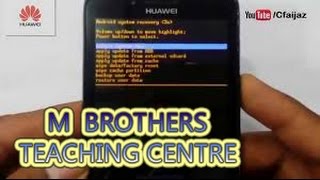
my phone internal memory is damaged showing with reset option and restart option but both of them does not works