

Key specs
Watch before you decide
In Depth
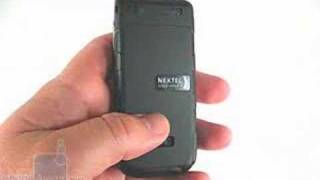
The Sanyo Pro 200, also known as the Pro 200s, is an all-business flip that delivers on performance and makes no effort to win prizes for boutique looks or cutting edge color schemes. This is a phone that will be appreciated for its durable construction, call quality and performance rather than design subtlety; clear access to obvious functions rather than cryptic sub-menus.
Closed, the Sanyo Pro 200 features an external, 1.5-inch monochrome display which provides date, time, battery life, signal strength and caller ID. Inside you will find a 1.9-inch color display that does a modest job of representing images and graphics, but is nothing to write home about.
A simple alpha-numeric key-pad with comfortable-sized keys make up the majority of the bottom-half of the phone, with a navigational array resting on top with a directional pad and dedicated black keys that allow for quick access to obvious and frequent functions.
One outstanding feature of the Sanyo Pro 200 is its Push-to-Talk, or 10-4, capability. This walkie-talkie feature allows users to communicate almost instantly with the push of a button, making it easy for businessmen, contractors and others to reach key people quickly. Sound quality is first rate and anyone can be a pro in a matter of minutes using this feature.
Pros: Durable phone, quality build materials, what it does it does very well, reliable, easy to use.
Cons: No frills, bare bones, but by design.
Verdict: The Sanyo Pro 200 is designed for busy people in the field who need to reach others quickly and easily. Simple menu structure makes anyone a pro in minutes. Great choice for small businesses on the go!
What people actually want to know
When was the Sanyo PRO-200 released?
The Sanyo PRO-200 was released on April 1, 2008.
How long does the battery last on the Sanyo PRO-200?
The Sanyo PRO-200 has a 1,050 mAh battery.
Does the Sanyo PRO-200 have a headphone jack?
Yes, the Sanyo PRO-200 has a 2.5mm headphone jack.
Where can I download the Sanyo PRO-200 manual?
You can view and download the Sanyo PRO-200 manual on our dedicated manual page.
Questions & answers
✓ Question submitted. We'll notify you when someone answers.
We sent a verification link to . Click it to publish your question.
Can't find it? Check your spam folder.
Finish the security check above to post your question.
Your name shows with your question.


New phones, honest scores.
One email when something worth knowing changes. No deal spam, no filler.
Hey daydreamer. Just contact your carrier and tell them you want your voicemail service shut off.