

Key specs
Watch before you decide



In Depth
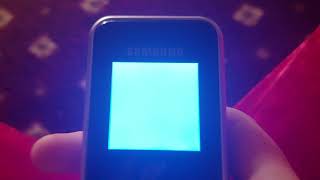
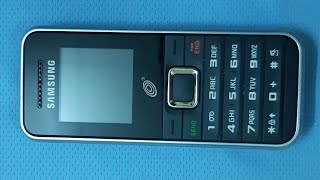
For people who want their phones to be just phones and nothing else, there are models like the Samsung S125G. It supports dual-band GSM networks, has a tiny color screen, and offers up to 6 hours of talk time per charge. It doesn’t have many other noteworthy features besides those.
It has a contact list that supports up to 200 entries and comes with a number of extra features which include a calendar, a world clock, a stop watch, a calculator, and even a currency converter. It also has a built-in loudspeaker that can be used during phone calls.
Put simply, the S125G is made to be used by those who need something strictly for communication. It’s a low-cost ticket to basic calling and texting capabilities on the go.
Need to Know: Samsung S125G
1. Small and lightweight. (The Good)
2. Standard battery offers up to 6 hours of talk time per charge. (The Good)
3. Very limited feature-set. (The Bad)
4. Small screen. (The Bad)
What people actually want to know
When was the Samsung S125G released?
The Samsung S125G was released on June 11, 2012.
How long does the battery last on the Samsung S125G?
The Samsung S125G has a 1,000 mAh battery.
Where can I get support for the Samsung S125G?
Visit Samsung's official support page for warranty info, repairs, and troubleshooting.
Where can I download the Samsung S125G manual?
You can view and download the Samsung S125G manual on our dedicated manual page.
Questions & answers
Loading answers…
✓ Question submitted. We'll notify you when someone answers.
We sent a verification link to . Click it to publish your question.
Can't find it? Check your spam folder.
Finish the security check above to post your question.
Your name shows with your question.
How it compares


New phones, honest scores.
One email when something worth knowing changes. No deal spam, no filler.
How can I change the time on the screen of the S125G phone