

Key specs
Critic reviews
No Cellphones.ca Score yet. We calculate one once enough reviews include a score.

“If you are a fan of devices like the Apple iPhone and the HTC Touch Diamond, the Samsung Omnia is probably going to capture your interest. Samsung's done a good job of layering some new functionality over what is otherwise a somewhat dated Windows Mobile user interface. The Samsung extensions and menus are visually appealing and fun to use, not to mention functional. The Omnia's superb camera should be considered a lesson to other manufacturers on how things should be done in a smartphone, and having up to 16GB of built-in storage as well as supporting microSD cards means that there are few devices in production that can carry around more media files than the Omnia. That's all great stuff.But the Omnia has its flaws. While I appreciate the extra pixels, I think that a WQVGA display was a poor choice for a number of reasons. A more conventionally sized VGA display would have made more sense in my opinion, offering both more resolution as well as making the phone easier to use with one hand since it wouldn't have to be as tall. The display is not the best performer when it comes to positioning accuracy, either.The big problem, though, is the text input. The virtual 12 key T9 keypad works well, but the 20 key and QWERTY keyboards both have real usability problems. In the end, the text input and display issues, which are somewhat related, are enough to keep me from giving the Omnia our top rating. Still, though, it is a very enjoyable device that suits passive email consumers very well, and it earns a solid Recommended rating.”
Watch before you decide




In Depth
The Samsung Omnia is a powerful top-tier phone with one glaring weakness: No 3G for users in North America.
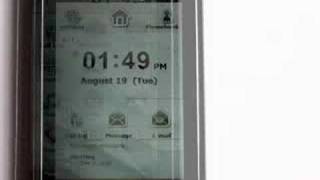
The Samsung Omnia deserves kudos for putting an attractive skin over the aging, boring Windows Mobile interface. The Samsung interface hides as much of the Windows Mobile design as possible, and adds many interesting and useful features.
Unfortunately, Samsung did not provide a triband 3G chipset to this otherwise impressive device, meaning it only runs on the EDGE network in North America. This is important, since smartphone users tend to drive their devices hard, and expect fast upload and download speeds.
That’s the rub. While the Samsung Omnia boasts some of the finest, most exciting features currently available on a cell phone, the novelty stops cold and quick when one realizes this high-end phone cannot command the same speeds as a low-end flip.
That said, the Samsung Omnia calls its interface TouchWiz; aside from a rare few dedicated keys, you will interact with the Omnia entirely by touch.
While the TouchWiz interface is competent, it is not as pervasive and intuitive as, wait for it…. wait for it…. the iPhone, and its somewhat of a guessing game as to where certain finger-flicking motions will work and where they will not.
Very much on the plus side, the Omnia offers up a 5 megapixel autofocus camera, spacious 3.2 inch touchscreen, Windows Mobile 6.1, WiFi, microSD memory expansion, and many other high-end features that certainly deserve mention.
The interface is deep and offers users considerable control and customization. If you like this phone, you will find it powerful and competent. However, it will require some commitment in learning the interface.
For folks looking to buy a smart smartphone, the Samsung Omnia is a viable offering. Just keep in mind that there are faster alternatives.
What people actually want to know
When was the Samsung Omnia i900 released?
The Samsung Omnia i900 was released on June 9, 2008.
Does the Samsung Omnia i900 have a headphone jack?
Yes, the Samsung Omnia i900 has a 2.5mm headphone jack.
Where can I get support for the Samsung Omnia i900?
Visit Samsung's official support page for warranty info, repairs, and troubleshooting.
Where can I download the Samsung Omnia i900 manual?
You can view and download the Samsung Omnia i900 manual on our dedicated manual page.
Questions & answers
Have a question about the Samsung Omnia i900? Ask it here and we'll email you as soon as someone answers. Readers have answered 21,500 questions across Cellphones.ca.
Finish the security check above to post your question.
Your name shows with your question.
✓ Question submitted. We'll notify you when someone answers.
We sent a verification link to . Click it to publish your question.
Can't find it? Check your spam folder.


New phones, honest scores.
One email when something worth knowing changes. No deal spam, no filler.