

Samsung Galaxy Young 2
Key specs
Critic consensus

“Samsung stopped offering competitive low-end and cheap mid-range phones a while ago, and the Samsung Galaxy Young 2 is proof that nothing has changed yet. It’s worse in almost every respect than the phones available at this price from companies such as Motorola, Sony and Huawei.The Samsung Galaxy Young 2 is left with one potential advantage: it’s pretty small, making it easier for kids to handle. However, given the screen, the CPU and the camera are lacking compared with those of its rivals, the Young 2’s proposition is either ill-advised or deeply cynical. A case of: it’s a phone for the kids, so it doesn’t need to be any good. It’s barely better than the 18-month-old Galaxy Young, and that was bad to start with.Assessed next to the Motorola Moto E, a phone of a similar price and with a reasonably kid-friendly form, the Samsung Galaxy Young 2 is almost laughably poor. To actually stack up among its peers the Young 2 would need to cost significantly less than £50. But in reality it costs significantly more from many places. We’ve seen it sold for as much as £90, and at that price it could very well be the very worst choice you could make.”
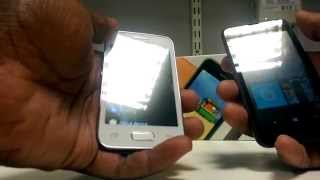
Watch before you decide



What people actually want to know
When was the Samsung Galaxy Young 2 released?
The Samsung Galaxy Young 2 was released on August 5, 2014.
How long does the battery last on the Samsung Galaxy Young 2?
The Samsung Galaxy Young 2 has a 1,300 mAh battery.
Does the Samsung Galaxy Young 2 support wireless charging?
No, the Samsung Galaxy Young 2 does not support wireless charging.
Does the Samsung Galaxy Young 2 have a headphone jack?
Yes, the Samsung Galaxy Young 2 has a 3.5mm headphone jack.
Does the Samsung Galaxy Young 2 have NFC?
Yes, the Samsung Galaxy Young 2 has NFC. You can use Google Wallet, Apple Pay, and tap-to-pair with Bluetooth accessories.
Where can I get support for the Samsung Galaxy Young 2?
Visit Samsung's official support page for warranty info, repairs, and troubleshooting.
Where can I download the Samsung Galaxy Young 2 manual?
You can view and download the Samsung Galaxy Young 2 manual on our dedicated manual page.
Questions & answers
Loading answers…
✓ Question submitted. We'll notify you when someone answers.
We sent a verification link to . Click it to publish your question.
Can't find it? Check your spam folder.
Finish the security check above to post your question.
Your name shows with your question.
How it compares


New phones, honest scores.
One email when something worth knowing changes. No deal spam, no filler.
Sadly this mechanism was added because for some strange reason Samsung removed the accelerometer and sensor (the two small dots near hear piece) on the galaxy young 2.On original galaxy young phones the phone detected that it had moved and so gave the option to end calls. The new model can't hence this double tap.I was lucky that I returned mine within the 14 days and replaced it.