

Samsung Galaxy S Blaze 4G
Key specs
Critic consensus

“he Samsung Galaxy S Blaze 4G packs enough functionality to keep every potential Android user, who thinks that a screen over 4 in size is too big happy. It is well built, fast, and pocket friendly. It's also got some powerful hardware that makes it relatively future proof.The smartphone however, is far from perfect. Its Super AMOLED screen has remained in 2010. Android 2.3.6 Gingerbread with TouchWiz 4 on the other hand, while perfectly polished, is quite far from being at the cutting edge of the Android realm. The lack of an Android 4.0 Ice Cream Sandwich update timeline does not help the handset's cause either.The Samsung Galaxy S Blaze 4G costs $149.99 with a two-year commitment to the Big Magenta. Its price tag puts it in the thick of the Android smartphone competition. You can actually pick up even more capable hardware for less money.As you can see, the Samsung Galaxy S Blaze 4G has some heavy competition to face. The newcomer however packs one major feature, which will help it find quite a few fans. The device, thanks to its 4 screen, is more compact than every option we told you about save for the Pantech offering. In a world of ever expanding screen sizes, this matters a lot.”

“The Galaxy S II is bigger and better than the Galaxy S Blaze 4G in many ways, but size matters. A huge handset like the Galaxy S II just isn't comfortable for everyone. And while the Blaze lags behind the Galaxy S II in a few areas, it matches where it counts the most: processor and network speed. That, combined with a smaller, more comfortable form factor, makes it a great choice for T-Mobile users without king-size mitts.”

“The $149 Samsung Galaxy S Blaze 4G is a mid-range Android phone that delivers strong performance, long battery life and fast 4G speeds. Some may find the avalanche of T-Mobile branded apps annoying, however. The identically priced HTC Sensation 4G has a sharper qHD display and higher-resolution 8-MP camera, but we suspect that many would rather carry the smaller and lighter Blaze 4G. Overall, the Blaze 4G is a very good choice for shoppers looking for a pocket-friendly Android phone with fast speeds and long endurance.”

“Good things are still found in small packages. In fact, that’s essentially what we find with T-Mobile’s Samsung Galaxy S Blaze 4G, as it’s able to impress us in so many ways. To tell you the truth, we weren’t expecting a lot out of this one, especially when the Samsung Galaxy S II is out there floating around, but it’s evident that the Blaze 4G is a wonderful alternative for those who prefer a device that’s more compact – without sacrificing the goods in the specs department. Taking into account its $149.99 2-year contract price, it’s price reasonably enough to justify it standing close to its highly touted sibling in the Galaxy S II.”
Watch before you decide


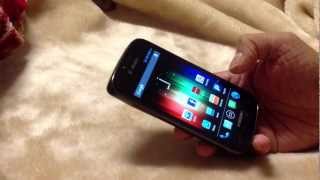


In Depth
Samsung is known for making excellent products for the high-end and entry-level smartphone segments. But what about its mid-range offerings? Are they any good? The Samsung Galaxy S Blaze 4G is proof that the answer to that question is a resounding yes. With Android 2.3 Gingerbread and a dual-core Snapdragon CPU from Qualcomm clocked at 1.5GHz, it already impresses, even if only on paper. And the rest of its features will just do more to reinforce the mostly positive first impression.
First off, take a look at the handset’s exterior. Its enclosure measures only 11mm thin, and overall it weighs just 128 grams. Yet for something so compact, it carries a 4-inch 480×800 touchscreen display, 5MP camera, a microUSB port, a microSD card slot, and a 1,750 mAh battery. This gives it up to 7 hours of talk time in 3G and a standby time of nearly 10 full days. It’s certainly something that you’ll be able to rely on for use on the go.
The default software may need a little upgrading, but the truth is that Gingerbread really isn’t that bad to begin with. It can still be useful, especially when used with the other extra hardware features such as Wi-Fi, Bluetooth 3.0, and NFC.
Samsung designed this particular smartphone to handle speedy mobile Internet, and users will surely be able to enjoy Web browsing on it with HSPA+ speeds wherever there is network coverage. There’s a lot of value to be had here, and if the price is brought down a bit from where it sat originally, it’s a model that will give you a lot of bang for your buck.
Need to Know: Samsung Galaxy S Blaze 4G
1. 4-inch 480×800 pixel resolution touchscreen display looks great for Web browsing. (The Good)
2. Runs on a dual-core processor with a high clock rate, which translates to faster performance. (The Good)
3. Default operating system cannot be upgraded to the latest version of the Android software. (The Bad)
4. Display lacks native support for standard HD content. (The Bad)
What people actually want to know
When was the Samsung Galaxy S Blaze 4G released?
The Samsung Galaxy S Blaze 4G was released on March 21, 2012.
How long does the battery last on the Samsung Galaxy S Blaze 4G?
The Samsung Galaxy S Blaze 4G has a 1,750 mAh battery.
Does the Samsung Galaxy S Blaze 4G have a headphone jack?
Yes, the Samsung Galaxy S Blaze 4G has a 3.5mm headphone jack.
Where can I get support for the Samsung Galaxy S Blaze 4G?
Visit Samsung's official support page for warranty info, repairs, and troubleshooting.
Questions & answers
Loading answers…
✓ Question submitted. We'll notify you when someone answers.
We sent a verification link to . Click it to publish your question.
Can't find it? Check your spam folder.
Finish the security check above to post your question.
Your name shows with your question.
How it compares


New phones, honest scores.
One email when something worth knowing changes. No deal spam, no filler.
Safe Mode comes up when something wrong goes on your phone. Your phone starts with only limited apps or even no apps at all. To exit Safe Mode, simply pull out the battery, wait for a minute then put it back in and turn on your phone. If your phone still open on Safe Mode, an app you installed could possibly be causing the problem. Uninstall apps one at a time. Start with the most recent app you installed. After every uninstall, restart your phone and see if it will open up normally. Good luck!