Skip to content
Home…›Samsung
Manual
Samsung Android 5.0 Lollipop Released Jun 2015 Discontinued

Samsung Galaxy J5

8.2 / 10
Cellphones.ca Score
Based on 3 critic reviews
Android 5.0 Lollipop Operating system
5" Screen size
13MP Main camera
MSM8916 Snapdragon 410 Quad core Processor
8 GB Storage
2,600 mAh Battery

Where reviewers agreed

  • Positive: Long battery life · 2 sites
  • Positive: Good screen · 2 sites
  • Positive: Handles everyday tasks well · 2 sites
  • Negative: Disappointing camera · 2 sites

Points that 2 or more review sites made.

By category

Key specs

What critics say

Critic consensus

Score
3 reviews
weighted by credibility
Notebookcheck
Notebookcheck
8.2

“It is easy to answer the question whether the update of Samsung's Galaxy J5 has been successful: Yes. The metal casing makes a much higher-quality impression and looks more modern than the predecessor's old-fashioned casing. The front-facing camera has been upgraded with a full-fledged LED flash, the working memory and storage device capacities have been increased, a somewhat faster processor and more screen surface are now installed.”

Alphr
Alphr
10

“It’s a shame to end on the slight downer of the camera because it’s the only area where the Samsung Galaxy J5 puts a foot wrong as far as I’m concerned. Usually, when I’ve reviewed a budget handset, I’m extremely eager to get back to my own phone, but in this instance, I’ll actually be a little sad to see the back of the J5. It’s smooth, stylish, and performs nicely with a bright screen and an incredible battery life. On one such day when I barely used the phone, it lost just 3% of its life from sitting in standby”

Expert Reviews
Expert Reviews
10

“The camera on the Galaxy J5 is really the phone's only issue, though, as the rest of it is great value. Its excellent screen and amazing battery life far exceed anything else in this price range, and it's certainly got enough speed to get you through most of your daily smartphone tasks.”

Video reviews

Watch before you decide

Reviews
Samsung Galaxy J5 vs Huawei P8 lite – Speed Test HD
XEETECHCARE
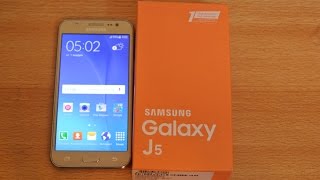
Samsung Galaxy J5 GOLD – Unboxing HD
XEETECHCARE
Samsung Galaxy J5 & Galaxy J7 Hands on Overview
Geekyranjit
remove google account on samsung galaxy j5 2016 j510fn j510f j510gn j510g android 7.0 to 7.1.1
Mobilenckreader
Samsung Galaxy J5 and Galaxy J7 With Front Flash
Samsung East Africa
Samsung Galaxy J5 J500FN – How to put sim card and memory card
simplephone2000
How to Insert SIM card and SD Card into Samsung Galaxy J5
Techniqued
Samsung Galaxy J5 VS Galaxy A5 – Speed & Camera Test!
Tech Trinkets
Samsung Galaxy J5 – 25+ Tips & Tricks HD
XEETECHCARE
Samsung Galaxy J5 / J7 – How To Transfer Apps to SD Card EASILY!
XEETECHCARE
Samsung Galaxy J5 Prime
Samsung Ukraine
HARD RESET Samsung Galaxy J5
GSM-ABC
Samsung Galaxy J5 Prime Screen Scratch Test Gorilla Glass 4
Ramesh Bakotra
How to take screenshot on Samsung Galaxy J5, J7,J2
Tech2touch
remove account google samsung galaxy j5 prime g570f g570fn g570h g570g Android 5 to 6.0.1
Mobilenckreader
Common questions

What people actually want to know

When was the Samsung Galaxy J5 released?
How long does the battery last on the Samsung Galaxy J5?
Does the Samsung Galaxy J5 support wireless charging?
Does the Samsung Galaxy J5 have a headphone jack?
Does the Samsung Galaxy J5 have NFC?
Where can I get support for the Samsung Galaxy J5?
Where can I download the Samsung Galaxy J5 manual?
Community

Questions & answers

VA
val · Answered

@Carl P : Your answer is VERY IRRITATING. OF COURSE THEY ALREADY TRIED YOUR SOLUTION. DO YOU UNDERSTAND?? IT DOESN'T WORK! IS N O T A PROBLEM OF SETTING! PEOPLE ARE NOT STUPID! THEY ALREADY TRIED EVERY SOLUTION POSSIBLE! its the software's fault of people that work on samsumg and Im afraid they have your same 'intelligence'.... Thats the problem! Sorry if Im a bit rude but some answers are so.... Grrrrr.

DE
Debbie · Answered

SOLUTION: I had this issue ever since I got my phone! my phone is Samsung J 5 2015 model. This is what worked for me1) Settings2) Notifications (this says select which apps you want to receive notifications from)3) WhatsApp was disabled for me, so I enabled it.Hope this works for you too!

You
PR
praneeth · Answered

My j7 version was 5.1 and now all people are using 6.1 version i have updated my j7 but it is showing that u have already updated ur mbl with latest features but it is same 5.1 version it has been updated nd i'm unable to see ultra data saving plz ny one could help me to resolve my j7 with new version of 6.1

VV
VVC · Answered

My J7 doesn't have the data saving facility as well... As people suggested I update my device... I searched for the update... But it just says ALL THE LATEST UPDATES ARE INSTALLED... So I'm sure it has got to be something else... Some other way to get it...

You
IL
Ilario · Answered

The Samsung J5 2016 does not have a fingerprint lock. I have tried everything:-(

You
PA
PAULA · Answered

Hi Lorraine, I tried this but the voicemail advises wrong number - have you come across this issue before? This is also the case when I have a message icon on the front screen giving notification of an answer phone message and I select to call from there too?

MA
Marie Goodwill Allen · Answered

I dont know how to put an answer phone message on my phone or access a voice mail message I have - how do i hear it please helpThank you

You
CA
Carl · Answered

Pull down the notification bar, tap on the auto rotate icon to enable it. You can also go to Settings > Display > When device is rotated. Hope that helps.

MA
Maggie · Answered

Just went to the Verizon store. All she did was turn the phone off and then back on. Problem solved!

You
WE
Wendy King · Answered

My Voicemail icon appeared on the top Bar . . It wont go away, I put my cellphone number in don't know if that was right but it said your voicemail number has now changed. . . . and it's still on the top bar looking like a sideways number 8 it is really annoying me now . . . how to get rid of it ? I have a Samsung Galaxy J5 which is a inferior phone to my last S3 mini . . . Thank You for any advice . . .

JO
Joss · Answered

Hi, I accidentally set my dad's number as my voicemail so whenever I want to look at my voicemail, I ring him. Also it has left a sideways 8 at the top left of my bar and it won't go away from where I can't listen to the message (by the way, I have a Samsung galaxy j5). If anyone can help in anyeay please do! :-)

You
CA
Carl · Answered

Rooting is the process of allowing users of smartphones, tablets and other devices running the Android mobile operating system to attain privileged control (known as root access) over various Android subsystems. As Android uses the Linux kernel, rooting an Android device gives similar access to administrative (superuser) permissions as on Linux or any other Unix-like operating system such as FreeBSD or macOS. (source: Wikipedia)Apps that allows you to move other apps to SD card needs root access. With regards to your phone's storage, have you tried moving your files (photos, videos, audios) to SD card? Use a file manager app to move them.

VA
VAUTOUR110 · Answered

I have manually moved the Whatsup and Waze applications to the external card - with no solution to the internal-only memory getting updated. I don't store pics in my cell bc of low storage capabilities. I need to know how to root something so both the internal and external memories become one-only big memory in my cell.

You
NI
NigelRunner · Answered

It may be that you change your password on the server (e.g. work's computer) and need to make the same change on your phone. If so then go the email settings, and at the bottom of the list you will find something like Exchange server settings. This is where you can enter your changed password. N

GR
Grindale · Answered

Hi Heather. Log out your account and then log back in. That should sync your email. If that still doesn't work, then there could be a problem with your connection.

You
CA
Carl · Answered

Drag the green phone icon outside the large circle. Please let us know if that works. :) For more information, you can visit Samsung Galaxy J5 page here in The Informr.

You
CA
Carl · Answered

Hey guys! Other users factory after update. Most of them notice an improvement on the battery though still not better that it was when running KitKat.

You
Have a question?
Samsung
Made by
Samsung
1554
Phones reviewed
Cellphones.ca Newsletter

New phones, honest scores.

One email when something worth knowing changes. No deal spam, no filler.

By subscribing you agree to receive emails from Cellphones.ca. Unsubscribe anytime.

Compare is full