

Samsung Galaxy J1
Key specs
Critic consensus

“The Samsung Galaxy J1 is a very decent device for 109 Euros, which leaves a good impression in many important areas. The chassis is very sturdy and you can hardly differentiate it from more expensive Galaxy models. The rear cover can also be detached, which gives you access to the replaceable battery as well as the microSD slot. Another highlight are the low emissions and the excellent battery runtimes. None of the comparison devices can keep up with the stamina of the Galaxy J1. Otherwise, the performances are often average. The handling could be smoother overall, the signal quality was not very good in the review and the there is also room for improvements in respect of the voice quality. The main camera takes decent snapshots under good lighting conditions and there is not much criticism for the display, either.”
Watch before you decide


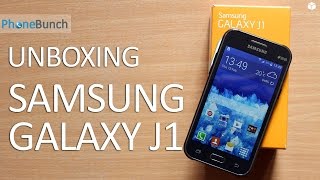


What people say
1 community rating · Recommendation data coming soon.
What people actually want to know
When was the Samsung Galaxy J1 released?
The Samsung Galaxy J1 was released on February 3, 2015.
How long does the battery last on the Samsung Galaxy J1?
The Samsung Galaxy J1 has a 1,850 mAh battery.
Does the Samsung Galaxy J1 support wireless charging?
No, the Samsung Galaxy J1 does not support wireless charging.
Does the Samsung Galaxy J1 have a headphone jack?
Yes, the Samsung Galaxy J1 has a 3.5mm headphone jack.
Does the Samsung Galaxy J1 have NFC?
No, the Samsung Galaxy J1 does not have NFC. Contactless payments and tap-to-pair will not be available.
Where can I get support for the Samsung Galaxy J1?
Visit Samsung's official support page for warranty info, repairs, and troubleshooting.
Where can I download the Samsung Galaxy J1 manual?
You can view and download the Samsung Galaxy J1 manual on our dedicated manual page.
Questions & answers
Loading answers…
Loading answers…
✓ Question submitted. We'll notify you when someone answers.
We sent a verification link to . Click it to publish your question.
Can't find it? Check your spam folder.
Finish the security check above to post your question.
Your name shows with your question.
How it compares


New phones, honest scores.
One email when something worth knowing changes. No deal spam, no filler.
Hmm.. That's odd. Open Messages app and open its Settings. Check if you have an option there to set default message storage.