Skip to content
Home…›Samsung
Manual
Samsung Android 4.1 Jelly Bean Released Mar 2013 Discontinued

Samsung Galaxy Fame

7.0 / 10
Cellphones.ca Score
Based on 4 critic reviews
Android 4.1 Jelly Bean Operating system
3.5" Screen size
5MP Main camera
Single core Processor
4 GB Storage
1,300 mAh Battery
By category

Key specs

What critics say

Critic consensus

Score
4 reviews
weighted by credibility
GSMArena
GSMArena

“The Samsung Galaxy Fame's software package and commendable performance from a single-core processor make it a an interesting device, but it's currently at a price point where more capable competition can be found. It's stripped-down Young sibling will nab the most frugal of shoppers, while more powerful competitors from Nokia - as well as last year's midrange Android offerings - mean that the Galaxy Fame has to undergo a price readjustment if it has any hopes of doing well this summer.”

Tech Advisor
Tech Advisor
6

“There's nothing wrong with a cheap, functional smartphone, and the Galaxy Fame is exactly that. The trouble is that even at this price the Fame is being squeezed out by much better phones that cost roughly the same amount. Windows-toting Lumia 520 is a much better performer at a similar size, and the Moto's E and -G knock the Fame for six. It's not a bad deal, but for just a tiny bit more there are better deals to be had.”

Android Authority
Android Authority

“So, does the Samsung Galaxy Fame hold up? Well, yes and no. It certainly gets points for style, and anyone pining for the halcyon days of flip phones might like the form factor. On the other hand, its relatively poor performance and less-than-beautiful screen aren't going to help win the Galaxy Fame any fans.”

Expert Reviews
Expert Reviews
6

“The Samsung Galaxy Fame is disappointing as a budget phone. It may be one of the cheapest and prettiest phones we’ve seen, at least on contract, but its performance just doesn’t quite compare to the Budget Buy-winning Huawei Ascend G510.”

Video reviews

Watch before you decide

Reviews
Samsung Galaxy Fame Review
PhoneArena
Samsung Galaxy Fame In-depth Review
Geekyranjit
Unboxing Samsung Galaxy Fame Lite S6790
Ionel Topala
Samsung Galaxy Fame Camera Review
Geekyranjit
Get the Samsung Galaxy Fame
o2ukofficial
Samsung GALAXY FAME S6810 Unboxing & Review
Sandwellmobiles
Samsung GALAXY FAME S6812 Review & Benchmarks by Gadgets Portal
Gadgets Portal
Samsung Galaxy Fame Tips and Tricks
Recombu
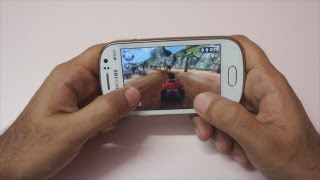
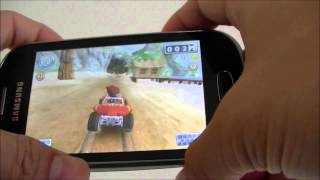
Samsung Galaxy Fame Gaming Review – Geekyranjit
Geekyranjit
Samsung Galaxy Fame GT-S6810 Hard Reset
Hard reset
Samsung Galaxy Fame Budget Android Phone Unboxing
Geekyranjit
Samsung Galaxy Fame Preview
PhoneArena
Samsung Galaxy Fame Review Game test
PDAMobiz Video Channel
Common questions

What people actually want to know

When was the Samsung Galaxy Fame released?
How long does the battery last on the Samsung Galaxy Fame?
Does the Samsung Galaxy Fame support wireless charging?
Does the Samsung Galaxy Fame have a headphone jack?
Does the Samsung Galaxy Fame have NFC?
Where can I get support for the Samsung Galaxy Fame?
Where can I download the Samsung Galaxy Fame manual?
Community

Questions & answers

HA
hazel ryan · Answered

When the phone rings and you get the green phone on your screen you have to slid it to the right to answer it . Just got a fame today , man in the shop showed me how to answer it or I would be ripping my hair out .

CA
Carl · Answered

Hi patricia! We've got you covered! A link to download a free PDF copy of the Samsung Galaxy Fame manual is available on the Samsung Galaxy Fame product page. Just click the link and you can find the download link on the right hand side of the screen.

You
DE
Devik Rajput · Answered

On Home Screen phone(call) -> press option button(left or right according to your mobile) -> call setting -> call forwarding

You
GR
Grindale · Answered

Turning Wi-Fi on and off Open the notifications panel, and then tap Wi-Fi to turn it on or off. Joining Wi-Fi networks On the Applications screen, tap Settings → Wi-Fi, and then drag the Wi-Fi switch to the right. Select a network from the list of detected Wi-Fi networks, enter a password if necessary, and then tap Connect. Networks that require a password appear with a lock icon. After the device connects to a Wi-Fi network, the device will automatically connect to it any time it is available. This information came from page 31 of the user manual which you can download from the Samsung Galaxy Fame page.

You
CA
Carl · Answered

If you dial 1 and call it, what do you get? If you really can't access it in any way, I suggest that you contact your carrier and ask for assistance. Good luck!

LE
Lesley_90303 · Answered

Hi Carl Thanks for replying. Couldn't get past the 'OK' screen to dial anything! I did manage to clear it eventually but can't remember how I did it - very frustrating!

You
CA
Carl · Answered

Are you sure you're not running an app that does that? Can you please provide more info to this? Like if it only happens when you receive a SMS, etc.

PI
pierrebear · Answered

Don't know if it's an app that causes the problem. It happens when receiving an email as well as an SMS. Bummer when phone is set to silent!

You
AN
anoymous · Answered

I have the same problem I have tried following this advice but every single day for the last 3 months its just said authentication error occurred but then on my laptop, my Xbox and my families' smartphones they all have a strong connection. Also when I have a look at the signal strength it still says very strong????

GR
Grindale · Answered

Have you tried connecting other devices to your Wi-Fi network? If other devices can connect without any problem, it could be your device that has a problem. Restart your phone then try to connect again. Make sure you enter the correct password. Let me know how it goes.

You
GR
Grindale · Answered

Hey Paul. Your phone could be on mute. Just press the volume up key on the side of your phone to increase volume.

You
CA
Carl · Answered

Maybe the SIM is not yet activated? Try contacting your carrier about this.

PA
pauline munro · Answered

My samsung galaxy fame is not making or receiving phone calls and texts

You
CA
Carl · Answered

First, change your phones language to English, go to Settings > Language & input > Language > English.Assuming you are using Android keyboard, go to Settings > Language & input > tap the settings beside Android keyboard > Input languages > English.Let me know if that's what you're looking for. :)

You
CA
Carl · Answered

Open Dialer > tap the clock looking icon on the top part of the screen > Press left soft touch key and tap Delete > mark the logs you want to delete > tap OK.Let me know if that works.

You
Have a question?
Samsung
Made by
Samsung
1554
Phones reviewed
Cellphones.ca Newsletter

New phones, honest scores.

One email when something worth knowing changes. No deal spam, no filler.

By subscribing you agree to receive emails from Cellphones.ca. Unsubscribe anytime.

Compare is full