Skip to content
Home…›Samsung
Manual
Samsung Android 4.0 Ice Cream Sandwich Released May 2013 Discontinued

Samsung Galaxy Centura

Android 4.0 Ice Cream Sandwich Operating system
3.5" Screen size
3MP Main camera
MSM7625A Processor
4 GB Storage
1,500 mAh Battery
By category

Key specs

Video reviews

Watch before you decide

Reviews
Samsung Galaxy Centura Review S738C | Straight Talk
Jorge Colmen
Samsung Galaxy Centura drop test!
Psyche
REVIEW: Samsung Galaxy Centura – $30 Android Phone
OSReviews
Straight Talk Samsung Galaxy Centura available for $99.99
Prepaid Mobile Phone reviews
Samsung Galaxy Centura Review
Christopher Nelson
Samsung Galaxy Centura
Jingkiftic Films
Samsung Galaxy Centura Android TracFone Bundle
HSN
Samsung Galaxy Centura Review
Shelby Burr
Samsung Galaxy Centura hard factory reset
Mobile And Technology
samsung galaxy centura rom/root SCH-S738C
Pod Pond
How to Screenshot with a Samsung Phone
Paul W
Samsung Galaxy Centura SCH-S738C review
BLISSFUL FAPPER
Samsung Galaxy Centura Review & Sim Card Removal
richpin06a
Whats on my phone (Samsung Galaxy CENTURA)
Dakota Elizabeth
Specifications
Full specs
Overview
Released May 2013
Announced —
Price tier —
Also Known As Samsung SCH-S738C
Processor Qualcomm MSM7625A
CPU Speed 800MHz
RAM 512MB
Storage 4 GB
Price (CAD) —
Regions USA, Canada
Regional Variants —
Warranty 1 Year
Accessories AC Charger, Manual, Standard Battery
Software & Support
OS Android
OS at Launch 4.0 Ice Cream Sandwich
Current Version —
OS Updates —
Security Updates —
Custom UI —
Display
Type Color
Technology LCD (TFT)
Size 3.5"
Resolution 320 × 480
Pixel Density 165 ppi
Colors 262k
Refresh Rate —
Touch Sampling Rate —
Peak Brightness —
Always On Display
DC Dimming
DisplayMate Grade —
Multi-touch
Fingerprint Resistant
Sensors Proximity, Motion / Accelerometer, Digital Compass
Additional Features Capacitive touch screen
Secondary Display
Secondary Display
Type —
Size —
Resolution —
Color Type —
Colors —
Camera — Main
Main Camera 3MP
Flash No
Sensor Name —
Sensor Size —
Focal Length (Main) —
Focal Length (Ultrawide) —
Focal Length (Telephoto) —
Optical Zoom —
Digital Zoom 3
Video Resolution —
Video FPS —
Video Length —
Video Formats MPEG-4
Features Geotagging, Night mode, White balance
Additional Info Exposure, Scene mode
Camera — Front
Front Camera
Video Recording
Resolution —
Video Resolution —
Video FPS —
Zoom Unknown
Optical Zoom —
Digital Zoom —
Features —
Additional Info -
Camera — Scores
DxOMark Overall —
DxOMark Photo —
DxOMark Video —
DxOMark Zoom —
DxOMark Bokeh —
DxOMark Selfie —
DxOMark Rank —
Performance
Chip Qualcomm MSM7625A
Process Node —
GPU —
RAM 512MB
Storage 4 GB
AnTuTu v11 —
Geekbench 6 Single —
Geekbench 6 Multi —
Geekbench 5 Single —
Geekbench 5 Multi —
Battery
Capacity 1,500 mAh
Type Lithium-Ion (Li-Ion)
Removable
Fast Charging —
Wireless Charging —
Comes with Charger —
Talk Time —
Video Playback —
Internet (WiFi) —
Internet (Cellular) —
Standby 10h 00m
Mixed Usage —
Charge Time 0–100% —
Charged in 30 Min —
GSMArena Score —
Battery Test Source —
Battery Life (Call) —
Battery Life (Video) —
Battery Life (Web) —
Battery Life (Gaming) —
Connectivity
Wi-Fi Wi-Fi b/g/n
WiFi Version —
Bluetooth 3.0
Bluetooth Profiles A2DP, AVRCP, OPP/FTP, HFP, HSP
Bluetooth Codecs SBC
USB Type Yes
USB OTG
USB Speed —
NFC
Infrared
Headset Jack 3.5mm
Mobile Hotspot
GPS
GPS Type A-GPS
UWB
Satellite —
Memory Expansion
Expansion Type MicroSD, MicroSDHC
Expansion Capacity 32MB
Cellular
Networks 1xRTT, EV-DO Rev. 0
3G MHz
800 1900
Data —
VoLTE Unknown
WiFi Calling Unknown
Physical SIM No
Dual SIM
eSIM
Push to Talk
Data Tethering
Design & Build
Form Factor Bar
Material Plastic
Frame Material —
Rear Material —
Colors Blue
Dimensions 11.3 × 6.1 × 1.1 cm (4.45 × 2.4 × 0.43 in)
Weight 125g
IP Rating —
Water Resistance Unknown
Fingerprint Sensor No
Rugged Design
iFixit Score —
Parts Availability —
Audio
External Speakers Yes
Noise Cancellation
Dolby Atmos
Hi-Res Audio
FM Radio —
GSMArena Loudness —
Speaker Loudness —
Input & Navigation
Touchscreen
Navigation Type Touchscreen
Keyboard Type Touchscreen
Home Key
Sleep/Wake Key
External Volume
Safety
SAR Head 1.39 W/kg
SAR Body 0.92 W/kg
Hearing Aid Compatible
TTY/TDD
More
Additional Information

Messaging: SMS, MMS, Google Talk
Multi-Use Smart Phone / PDA: Yes
Graphics: Yes
Backlit Illumination: Yes
Zoom / Magnification: Yes
Screen Orientation Lock: Yes
Predictive Text Entry: Yes
Voice Commands: Yes
Keypad/Screen Lock: Yes
Multiple Numbers Per Contact: Email address, Other fields
Contact Groups: Yes
Voice Activated Dialing: Yes
Photo Caller ID: Yes
Web Browser: Yes
Email Client: Yes
Email Protocols: POP3, IMAP, SMTP, Microsoft Exchange
PC Synchronization: Yes
Audio Formats: MIDI, MP3, AAC+, AAC, AMR, WMA, WAV, OGG
Video Playback Formats: 3GP / 3GPP, H.264 / AVC, MPEG-4
Streaming Video: Yes
Custom Ringtones: Yes
Vibration Alert: Yes
Downloadable Ringtones: Yes
Ringer ID: Yes
Speakerphone: Yes
Haptic Feedback: Yes
Data Tethering: Yes
Mobile Hotspot: Yes
Games: Downloadable
Apps: Downloadable
Included Software / Apps: –
Calendar, World Clock, Alarm, Calculator, Maps, Voice Memos / Recorder

Additional Comments —
Related Links Official Website
Manual Download PDF
Quick Start Guide —

Specifications are sourced from manufacturers and third-party databases and may contain errors. Suggest a correction →

Common questions

What people actually want to know

Why are photos and ringtones duplicated on my Samsung Galaxy Centura?
When was the Samsung Galaxy Centura released?
How long does the battery last on the Samsung Galaxy Centura?
Does the Samsung Galaxy Centura support wireless charging?
Does the Samsung Galaxy Centura have a headphone jack?
Does the Samsung Galaxy Centura have NFC?
Where can I get support for the Samsung Galaxy Centura?
Where can I download the Samsung Galaxy Centura manual?
Community

Questions & answers

MA
margaret · Answered

Wow was this a HUGE pain in the @** ok first download any mp3 ringtone you want or have to use etc. Plug your Samsung Galaxy Centura into your computer using the provided usb cord. Ignore the pop up window when asked what you want to do. I'm using windows 7 so open the download or piece of music etc that you want to use as you ringtone with windows media player. In the top right corner of the screen that's playing your tone/song hover over the 3 little squares with the back arrow it says switch to library click it or the song will finish playing and then you can click go to library. Once in the main windows media player library screen on the right you will see your song/tone/mp3 in blue under unsaved list. Right click on your songs/tone/mp3 name and choose open file location. Once file location is open your song/tone/mp3 will be highlighted in blue. Now look to the left list you will see your phone, mine starts with SCH- go over and left click the little arrow to the left of the SCH (your phone) to expand your phones files. I have a microSD card in, so I have 2 expansions under my phone SD Card and USB storage, if your USB storage folder isnt already expanded, click USB storage now and a drop down will appear mmsyscache alarms android data DCIM download MBSTGO MBSTPH movies music notifications pictures podcasts ringtones Finally left click you highlighted song/tone/mp3 hold it and drag it over to ringtones. If you want it for a personalized notification left click hold and drag it to notifications. Now look on your phone system settings click sound then phone ringtone. your ringtone should now be there, click on it hit ok to set and BAM!!! your done. Same for Notifications, if you drug your song to notifications go to settings, sound, notification and it's there. Hope this helps someone because I was ready to pull my hair out literally, why they make this so much harder and confusing than it has to be. Enjoy!!!!

MA
maureen_23039 · Answered

You can also use to provided usb cable to connect to a computer. This will open your phone up like a regular drive (A, C, D, E, etc) You can then copy or cut music from the music folder and paste into the ringtone folder. Very easy and no apps or anything needed to do this. You can also use your computer to sync over music from there to your phone. I downloaded a lot of free ringtones to my computer and then sync'ed them to the phone. Hope this helps. If you add an SD card you can also move stuff over to same to save storage on the actual phone. Apps use up a lot of bytes.

You
JA
jack ganon · Answered

Go to settings then data usage. Use your finger to raise the orange line up to 100+ GB. That should remove the alert and prevent it from coming back.

You
SA
Sara_45722 · Answered

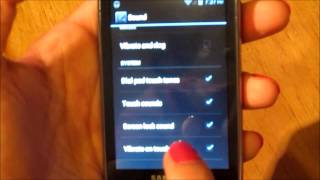
I also have a Samsung Galaxy Centura, which I got a week or two ago. It has been receiving calls just fine, but all of a sudden today when people call me all it does is vibrate. I have checked all of the settings and can't find anything wrong with the sound, but it still won't ring.

DA
David Gonzales · Answered

Hello, check if your phone is on Silent mode. If it is, all you have to do is press the volume up button a few times to enable ringtones for phone calls and even text messages again. Let us know if this answered your question!

You
BR
Brian_3167 · Answered

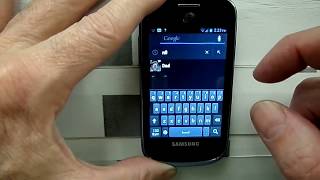
I just got my Centura and was looking for a way to turn it off as well. When you are texting there is a gear icon to the left of the space bar, push that and it will bring you to a settings menu where you can turn the predictive text off.

GL
Gloria Hill · Answered

there is no language and keyboarding there is only language and input. under input there is only keyboarding and input methjods. google voice typing or samsung keyboard...there is NOTHING that offers predictive texting as an option

You
SE
Seth · Answered

mine does the exact same thing, ive had it for a few years now and at first it was not that bad, but now i have to take out the battery to restart it at least 15-20 times a day, it literally just froze up as im typing this and i had to restart it. it'll buzz once, and if i lock it and unlock it its on the same screen only dark, then it'll do a little double buzz, and 1/99 times it will go back to the lock screen, but almost every time it just goes black and wont lock, unlock, do anything. idk what to do

You
CA
Carl · Answered

- You can find it on the device box. - It can be found on the back of the phone. - Can also be found in Settings > About phone > StatusHope that helps! :)

You
DE
Deb F · Answered

I am trying Extreme Blocker App from the Play Store. We keep getting political calls and others that are computer generated and we can't get it stopped so we are blocking. I hope this works. It also is supposed to help with texts too.

GR
Grindale · Answered

You can try Calls Blacklist - Call Blocker by Vlad Lee. It has the highest rating of all the blacklist apps available in the Play Store. It not only blocks calls but text messages as well.

You
GR
Grindale · Answered

Download a file manger from the Play Store, click here. With a file manager you can move files from internal memory to your memory card. You should see a Copy and Move option.

You
CH
Cheryl H · Answered

Is there a secret to setting the ringtones for contacts on my Samsung Galaxy Centura? I go to my contacts, click on one, open the option menu, click set ringtone, pick a ringtone from the menu, click ok, and exit, but when I reopen that contact, the ringtone is back to the default ringtone. Am I missing something?

GR
Grindale · Answered

Hey dennis. Open Messaging, tap the Menu button then tap on Settings. Scroll down until you see Notification Settings. Under that you should see the Select ringtone option.

You
GR
Grindale · Answered

Hi leannw. When you get a missed call, you should see an indicator icon on top of your screen. If you don't see the icon very well and want to be reminded that you have a missed call, you can just install a missed call reminder app, which you can download free from the Play Store.

You
Have a question?
Samsung
Made by
Samsung
1554
Phones reviewed
Cellphones.ca Newsletter

New phones, honest scores.

One email when something worth knowing changes. No deal spam, no filler.

By subscribing you agree to receive emails from Cellphones.ca. Unsubscribe anytime.

Compare is full