Skip to content
Home…›Samsung
Manual
Samsung Android 2.2 Froyo Released Aug 2010 Discontinued

Samsung Galaxy 550

7.5 / 10
Cellphones.ca Score
Based on 1 critic review
Android 2.2 Froyo Operating system
2.8" Screen size
2MP Main camera
11 Processor
512 MB Storage
1,200 mAh Battery
By category

Key specs

What critics say

Critic consensus

Score
1 reviews
weighted by credibility
PhoneArena
PhoneArena
7.5

“It lacks some hardware features, such as multitouch, backlighting of the physical keys, front-facing cam, or ambient light and proximity sensors. For the price, however, you are not likely to miss them much. For people just entering the smartphone (or touchscreen phone, for that matter) universe, the Samsung Galaxy 5 is a great stepping stone, and even worth having around as a backup phone. As alternatives we would point out the LG Optimus GT540, or the Sony Ericsson Xperia X8, which step it up with a bigger 3” screen, 3MP camera, and better codec support (GT540), but run an older version of Android.”

Video reviews

Watch before you decide

Reviews
Review Samsung Galaxy 550 – Celularis.com
maccur7
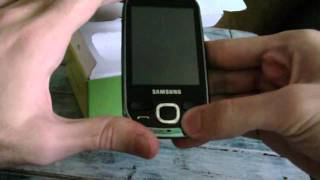
Samsung Galaxy 550 unboxing – Celularis.com
maccur7
Samsung Galaxy 550 Unboxing | xblog.gr
John Karakatsanis
Samsung Galaxy 550 review
gaby071194
Samsung Galaxy 550
Gustavo GAMA
Samsung Galaxy 550
Nicolas Cedeño
Samsung Galaxy 550 25 septembre
sandookhan64
samsung galaxy 550
gabrielito maidana
Hamer test SAMSUNG GALAXY 550
Божидар Атанасов

In Depth

If you’re on a budget and want an Android phone, the Samsung Galaxy 550, simply known as the Galaxy 5, is worth considering.

It runs on Android 2.1 and is powered by a decent 600MHz processor. SWYPE comes pre-installed and aside from WiFi and Bluetooth, the Galaxy 5 also boasts 7.2Mbps HSDPA connectivity.

Imaging however is not the 5’s strongest suit. It ships with a sub-standard 2-megapixel camera and lacks a front-facing camera which makes video calling out of the question. Another downer is its 2.8-inch QVGA touchscreen display which doesn’t offer with multi-touch support.

What the 5 does have to offer is a no-frills Android phone that’s well within most people’s budget range. It’s got the basics and performs well considering its feature-set and price. Clearly not a spectacular phone, but its a standouts among its entry-level counterparts.

Common questions

What people actually want to know

When was the Samsung Galaxy 550 released?
How long does the battery last on the Samsung Galaxy 550?
Does the Samsung Galaxy 550 have a headphone jack?
Where can I get support for the Samsung Galaxy 550?
Where can I download the Samsung Galaxy 550 manual?
Community

Questions & answers

CA
Carl · Answered

What was the last thing that you did before that happened? It may be the reason behind it. Also check if your phone has signal, you may be out of the coverage area.

You
GR
Grindale · Answered

Hi Bryan. You should be able to view YouTube on your phone. Does it not work? What happens when you try to watch? Let me know the details so we can try to figure it out. Thanks!

You
GR
Grindale · Answered

Hey Emma. Remove the back cover of the phone and also remove the battery. You should now see the SIM card. Just slide out the SIM card. It's that simple. If you found my answer helpful, please click on the HELPFUL button so other people can find the answer easier. If it`s your first visit, please Join our community for free.

You
GR
Grindale · Answered

Hi rahisha. If you forget your unlock pattern, the only way to reset it is to log-in to your Google account. But since you forgot your email and password, there's no other way to access your phone other than doing a hard reset. To do a hard reset: 1. Turn OFF the device. If Samsung Galaxy 550 is frozen, pull out the battery and reinsert it. 2. Press and hold the Volume Down button and in the same time press the Power button in order to power on the device. 3. Select Clear Storage using Volume Down to navigate and Power button for selection. 4. Then, you have to confirm that you want to hard reset your device. Press Volume Up for yes or Volume Down for no. Now the Hard Reset process will begin. When the Hard Reset process is finished, the device will reboot! source

You
GR
Grindale · Answered

If you're pertaining to screen timeout, here's how: From the application list, select Settings → Sound & display → Screen timeout.

You
GR
Grindale · Answered

You can get the user manual from the Samsung Galaxy 550 page. Just click on the download link located on the right hand side of the page.

You
GR
Grindale · Answered

Tap on Settings > About phone > Software update- Sign-in to your Samsung account. - Agree on the terms and conditions - Choose your country and press Ok. - The update should start to download - Once downloaded, you will be prompted to install the update. - The phone will restart and you will see a notification that the update has been done installed successfully.

You
GR
Grindale · Answered

From your home screen, open the application list and select: Settings > Privacy > Factory data reset > Reset phone > Erase everything

You
GR
Grindale · Answered

Yes, you can. You can watch a video of how to setup your phone as a portable Wi-Fi hotspot here in the Cell Phones Etc. website. Video Link: Setup Wi-Fi hotspot on the Samsung Galaxy 550

You
GR
Grindale · Answered

Remove the memory card from your phone and insert it to your computer. It should appear as a removable device in My Computer. You can now transfer files to your memory card. When you're done transferring, insert the memory card back to your phone. The video you have transferred should appear on Videos.

You
Have a question?
Samsung
Made by
Samsung
1555
Phones reviewed
Cellphones.ca Newsletter

New phones, honest scores.

One email when something worth knowing changes. No deal spam, no filler.

By subscribing you agree to receive emails from Cellphones.ca. Unsubscribe anytime.

Compare is full