

Key specs
Critic reviews
No Cellphones.ca Score yet. We calculate one once enough reviews include a score.

“Motorola KRZR has perfect design. Naturally, users are free to have their own tastes, but one thing is for sure: this phone is going to become popular for its look more than anything else. The materials used in it are very good. Its overall “visage” is miles away from triviality. Motorola KRZR is going to sell well thanks to its face, not its functions. KRZR is a babe, who loves tabloids and luxurious parties.Let’s now sum up: Motorola has made a high-quality handset with original design and very good phonebook. Its time organizer is perfect. USB Mass Storage support and the comfortable keypad are strong advantages too. The pity is that Motorola has only improved its aged user interface by few elements from the V3x model leaving plenty of details untouched: the built-in camera is bad, the external display is rather poor, and once again you will find two music players, none of which is really efficient.”
Watch before you decide





In Depth
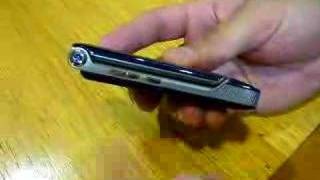
The Motorola KRZR K1 boasts a very stylish slim design making it attractive to look at and comfortable to hold as well. It is a little taller, thicker, and heavier than its predecessor, the RAZR model, which gives it a much classier look and feel. The metallic gloss coating also adds to the luxurious look; however, it is prone to smudging from fingerprints and may not be so great at withstanding scratches when it is not in its carrying pouch. The clamshell lid on the KRZR K1 is another improvement over the RAZR model as it has a sturdy hinge that opens and closes with a solid confidence.
It has a slightly smaller keyboard and screen to work with because of the smaller and sleeker design but this helps to give the display a sharper look. Once you go beyond the large and colourful icons on the main screen, you will find the menu to be a little slow and cumbersome as it requires more menu steps than other types of phones. On the upside, the battery can provide over three hours of talk time and you can personalize the Motorola KRZR K1 with a huge variety of wallpaper, screensavers, and menu styles. The call quality is quite clear and sharp however, you may have trouble being heard when using the phone in loud environments. This phone also features a 2-megapixel camera giving you the choice to take pictures in four sizes and you can select from three different quality settings.
Overall, the Motorola KRZR K1 offers great call quality and has an improved look and feel with only a few weak points to mention. It may not be a leader in technical innovations, but it has the features and performance to make it a good dependable phone.
What people actually want to know
When was the Motorola KRZR K1 released?
The Motorola KRZR K1 was released on December 18, 2006.
How long does the battery last on the Motorola KRZR K1?
The Motorola KRZR K1 has a 780 mAh battery.
Where can I get support for the Motorola KRZR K1?
Visit Motorola's official support page for warranty info, repairs, and troubleshooting.
Where can I download the Motorola KRZR K1 manual?
You can view and download the Motorola KRZR K1 manual on our dedicated manual page.
Questions & answers
✓ Question submitted. We'll notify you when someone answers.
We sent a verification link to . Click it to publish your question.
Can't find it? Check your spam folder.
Finish the security check above to post your question.
Your name shows with your question.


New phones, honest scores.
One email when something worth knowing changes. No deal spam, no filler.
To use a headset or handsfree car kit: 1. Press Menu > Settings > Connection > Bluetooth Link > Audio Devices > Look For Devices 2. Your phone lists the devices it finds within range. Scroll to a device in the list and press the Center Key.3. Press the Yes or OK key to connect to the device. 4. If necessary, enter the device passkey (such as 0000) and press the OK key. 5. When your phone is connected, the Bluetooth indicator appears in the home screen. When your phone’s Bluetooth power is on, your phone can automatically connect to a handsfree device you have used before. Just turn on the device, or move it near the phone. If the device doesn’t connect, turn it off and back on. Reminder: Before you try to connect your phone with a handsfree device, make sure the device is on and ready for pairing (see the user guide for the handsfree device). You can connect your phone with only one device at a time.