

Motorola DROID Ultra
Key specs
Critic consensus

“The Motorola Droid Ultra is a great mid-range phone with lots of compelling features that many potential buyers will find interesting. It does have its negatives, though -- this is essentially a Moto X riddled with Verizon branding, a glossy and fingerprint-prone finish and a nonsensical price. But therein lies the problem: we simply can't think of a reason why the Ultra should co-exist with the X at the exact same price.”

“The superthin Motorola Droid Ultra has a lovely, large screen and takes pleasing pictures. The phone also has long battery life and offers slick tricks such as advanced voice commands and screen-based notifications.”

“Coming in at $199.99 with a 2-year contract, the DROID Ultra has a lot to offer, especially if you are looking for a device running as close to stock Android 4.2.2 Jelly Bean as possible, while still offering some extra “Motorola perks” such as the Active Display, Touchless Controls, and Motorola Assist. Since the DROID Ultra has a Kevlar body, it should hold-up better than other plastic-polymer based phones, though keep in mind that the glossy back will always look smudged with fingerprints. As we mentioned earlier, the 5” Super AMOLED 720p display does a nice job, but at this point it is a step behind the competition with sharper 1080p displays.”

“The DROID Ultra is an okay phone. The nearly-stock software is fantastic, and shows hints of greatness in Touchless Control and Active Notifications. It's also both the most sturdy and the thinnest phone I've ever used, which certainly appeals to many potential buyers. Motorola's typically excellent radio technology is on display, and while the camera, screen, and silicon aren't the best in the world, they get the job done.”
Watch before you decide
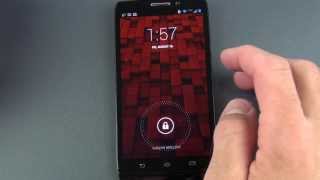


In Depth
The DROID Ultra is one of the latest offerings from Motorola. It’s peppy dual-core processor and 5-inch AMOLED display offer plenty of power and beautiful visuals. However, there is one potential problem. Brad Molen of Engadget summed it up best when he said “…we simply can’t think of a reason why the Ultra should co-exist with the X at the exact same price.”
Much like the Moto X, the DROID Ultra is solid, fast, takes respectable pictures, supports the latest technologies and has a bountiful battery life. This is largely because it has almost identical hardware apart from slightly larger screen and a different shell. For a slightly larger investment, the DROID MAXX offers all of this plus more storage and wireless charging.
The DROID Ultra is, in both pricing and features, a mid-tier phone. Is this a problem? Depends on your use for the phone. However, Cory Gunther of Android Community sums things up nicely in his review, stating “Yes we’ll see 8-core phones soon, but that’s overkill, to be honest, and this DROID Ultra will have enough power to make 99% of consumers plenty happy. Nuff said.”
The Good: Minimal interface changes from stock Android, all-day battery life, comfortable grip and a large screen.
The Bad: Prone to fingerprints and grime, no microSD support, lack of camera options and poor visibility in direct lighting.
What people actually want to know
When was the Motorola DROID Ultra released?
The Motorola DROID Ultra was released on August 20, 2013.
How long does the battery last on the Motorola DROID Ultra?
The Motorola DROID Ultra has a 2,130 mAh battery.
Does the Motorola DROID Ultra support wireless charging?
No, the Motorola DROID Ultra does not support wireless charging.
Does the Motorola DROID Ultra have a headphone jack?
Yes, the Motorola DROID Ultra has a 3.5mm headphone jack.
Does the Motorola DROID Ultra have NFC?
Yes, the Motorola DROID Ultra has NFC. You can use Google Wallet, Apple Pay, and tap-to-pair with Bluetooth accessories.
Where can I get support for the Motorola DROID Ultra?
Visit Motorola's official support page for warranty info, repairs, and troubleshooting.
Where can I download the Motorola DROID Ultra manual?
You can view and download the Motorola DROID Ultra manual on our dedicated manual page.
Questions & answers
Loading answers…
✓ Question submitted. We'll notify you when someone answers.
We sent a verification link to . Click it to publish your question.
Can't find it? Check your spam folder.
Finish the security check above to post your question.
Your name shows with your question.
How it compares


New phones, honest scores.
One email when something worth knowing changes. No deal spam, no filler.
1. Ensure the device is powered off. 2. With the display facing up, insert your fingernail under the middle of the Volume rocker button (located on the right edge) and feel for the slot between the rocker and the body of the phone. Pull the tray out with your fingernail as shown. 3. Remove the SIM card from the tray. 4. Insert the tray back into the phone with the word UP facing the display side, press the center of the rocker switch until it clicks into place. Source: Link Here's a video on how to do it: Link