

Key specs
Watch before you decide


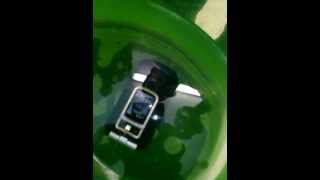

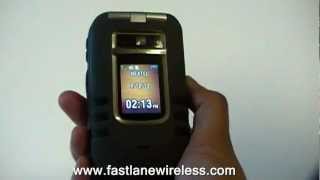

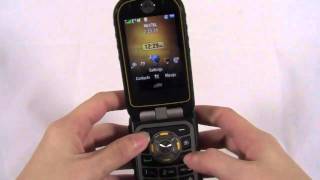


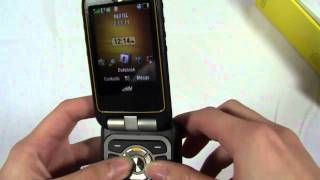


In Depth
The aptly-named Motorola Brute has an interesting, attractive look that is built around practicality and performance. With three dramatic, rectangular grooves penetrating the outer shell on either side of an attractive display to provide additional grip, exposed hinges and a rubbery, it-won’t-fall-if-I’m-eating-chips feel, this flip phone is built to military specifications, meaning it has to be tough.
How tough? Getting a phone to meet military specs is not a formality; it’s an effort. This phone will endure environmental conditions sensible people would be wise to avoid. Therefore it’s a natural for folks who work in the field, including contractors, first responders or a sales force that doesn’t’ want to suffer the minor inconvenience of, um, a tornado, dust storm or sudden rain.
Impressively, this phone goes beyond just being able to survive poor weather. It offers a competent, 2MP camera with flash!, GPS, a strong battery, stereo Bluetooth and expandable memory via an 8GB microSD card. For its targeted buyer, this phone makes technology simple, useful and enjoyable. No hassles making a call, no worries about a little dirt or drop, because the Brute will hold up and perform.
For folks who buy phones because they are working and need a way to stay connected, even during a category 3 hurricane, take a look at the Motorola Brute.
What people actually want to know
When was the Motorola Brute released?
The Motorola Brute was released on January 11, 2010.
How long does the battery last on the Motorola Brute?
The Motorola Brute has a 1,750 mAh battery.
Does the Motorola Brute have a headphone jack?
Yes, the Motorola Brute has a 2.5mm headphone jack.
Where can I get support for the Motorola Brute?
Visit Motorola's official support page for warranty info, repairs, and troubleshooting.
Where can I download the Motorola Brute manual?
You can view and download the Motorola Brute manual on our dedicated manual page.
Questions & answers
✓ Question submitted. We'll notify you when someone answers.
We sent a verification link to . Click it to publish your question.
Can't find it? Check your spam folder.
Finish the security check above to post your question.
Your name shows with your question.
How it compares


New phones, honest scores.
One email when something worth knowing changes. No deal spam, no filler.
Here are the steps to transfer files from your phone to the computer:1. With the microSD card inserted, press Menu > Settings > Connections > USB. 2. Highlight Memory Card Access and press Ok 3. Connect your phone to your computer using a compatible USB cable. (Wait for the connection to be completed. When connected, the host computer will automatically detect your phone.).Once the phone is connected to the computer, you can transfer your data to or from the microSD card.