

Kyocera Rise
Key specs
Critic consensus

“Though it's always refreshing to see Android 4.0 run on a midlevel handset, not every Ice Cream Sandwich flavor is irresistible. While I did appreciate the Kyocera Rise's call quality and low price, outside of the relatively new OS, this device doesn't have much to offer. Unlike its wet and wild counterpart, the Kyocera Rise doesn't have the novelty of being waterproof going for it. Instead, it has a keyboard that, while attractively designed, doesn't give it enough of an edge to make its midrange specs and hefty design exciting.”

“The Rise offers some nice features, such as a decent slide out QWERTY and a mostly vanilla Ice Cream Sandwich build, but in the end it has too many shortcomings. Despite being bigger and higher resolution than the Milano, the Rise’s screen is still of poor quality and the call quality has taken a hit too. The camera was predictably bad, but for $20 on contract you’d expect that. The Rise gets bonus points for offering Android 4.0 at a low price, but we liked the Milano and LG’s Optimus Elite better.”

“For the smartphone lover who still longs for the physical touch of real keys, the Kyocera Rise rises to the challenge with its real QWERTY keyboard. Stock Android 4.0 Ice Cream Sandwich? Well, that's just the icing on the cake.Kyocera's latest effort for Sprint is the Rise, an inexpensive sideways slider that ships with Android 4.0 Ice Cream Sandwich. For the messaging-minded user, the Rise is a tempting text machine.”
Watch before you decide


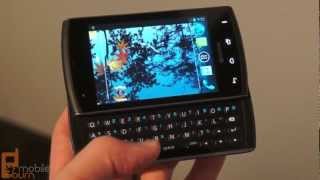


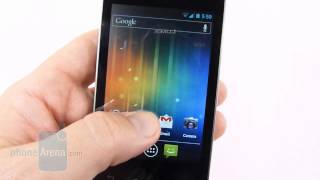


In Depth
The Kyocera Rise is a chunky yet compact smartphone that offers a taste of Android 4.0 Ice Cream Sandwich on the cheap. It’s one of the smallest handsets ever to be released to market with ICS, and that’s part of what makes it quite an attractive option. Although small, it features a speedy Snapdragon processor so users will have no problem navigating menus and running applications. However, it can be faulted for is its limited amount of RAM and internal storage—which are 512MB and 2GB, respectively.
How small is the Rise, exactly? It weighs less than 160 grams but is a bit on the chunky side, measuring 14mm thick. It comes equipped with a 3.5-inch HVGA touchscreen display and has a slide-out QWERTY keyboard that can be hidden behind its touchscreen display when not in use. The keys on its keyboard are quite large and evenly spaced, which makes typing for even long periods of time quite comfortable.
Some reviewers complain that the Rise ships with a low quality touchscreen display and spec-wise it definitely doesn’t measure up to panels found on other ICS-powered handsets. But it’s still a relatively large screen and has a good native resolution.
In a world where physical smartphone buttons are quickly going the way of the dodo, it’s refreshing to see something like the Rise. Not only does it come with a full touchscreen display but it also has a full QWERTY keyboard. And with Android 4.0 Ice Cream Sandwich as the default operating system, it’s an excellent model overall—a perfect fit for messaging buffs looking for a cheap new Android handset.
Need to Know: Kyocera Rise
1. Full QWERTY keyboard for user input. (The Good)
2. Android 4.0 Ice Cream Sandwich as the default OS. (The Good)
3. Small, low-resolution touchscreen display. (The Bad)
4. Only 512MB of RAM. (The Bad)
What people actually want to know
When was the Kyocera Rise released?
The Kyocera Rise was released on August 19, 2012.
How long does the battery last on the Kyocera Rise?
The Kyocera Rise has a 1,500 mAh battery.
Does the Kyocera Rise have a headphone jack?
Yes, the Kyocera Rise has a 3.5mm headphone jack.
Where can I get support for the Kyocera Rise?
Visit Kyocera's official support page for warranty info, repairs, and troubleshooting.
Where can I download the Kyocera Rise manual?
You can view and download the Kyocera Rise manual on our dedicated manual page.
Questions & answers
Loading answers…
Loading answers…
✓ Question submitted. We'll notify you when someone answers.
We sent a verification link to . Click it to publish your question.
Can't find it? Check your spam folder.
Finish the security check above to post your question.
Your name shows with your question.
How it compares



New phones, honest scores.
One email when something worth knowing changes. No deal spam, no filler.
This is my first fancy phone and it is brand new. If the technician said to take the paper off the battery and just have it be only metal, then why is there a uTube showing one of same kind with guy saying NOT to take off the paper. I tried to explain to the tech that there was writing on the paper, so wouldn't it make sense to keep it on, but she insisted I needed to take the paper wrapped with sticky glue around the battery off. I wonder who is right? Someone who knows, please tell me - does it matter or not - paper on battery on or off?