

HTC Snap
Key specs
Critic consensus

“We love the HTC Snap's brilliant keyboard and innovative Inner Circle feature, but it's let down considerably by its short battery life and dated Windows Mobile user interface. Consequently, we can't see many people rushing to swap their BlackBerry for a Snap.”
“The HTC Snap for Sprint offers snappy performance and good messaging features, but the smartphone's plastic build and lack of Wi-Fi don't justify the price.”

“In the end, we really like the HTC Snap for Sprint - with one major exception. The phone has a nice keyboard and a good looking, modern design. It has top-notch messaging features, including HTC's neat Inner Circle system. It even has passable photo and music abilities. What more could you ask for from a phone?Good call audio would be one thing.If you live, work, and play in a fairly strong Sprint signal area, then there's little to worry about. The call audio is quite good in such environments. But for those of us in fringe areas, you are probably going to want to give the Snap a miss, in spite of its otherwise great properties. We're going to give the HTC Snap for Sprint a Recommended rating, but with strong reservations. If you are more about data than voice or live in a good area, you'll love the device. Otherwise, your friends might not be so eager to see your name on the caller ID screen.”

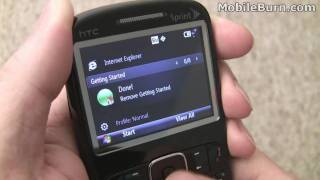
“Here is the video review of HTC Snap.”
Watch before you decide




In Depth
With HTC’s focus on higher-end touch screen devices such as its Touch line, it’s good to see they haven’t forgotten the tried and true, perennially popular candy bar QWERTY, a design which continues to hold its own as Blackjacks, BlackBerries and others.
I’m referring to the new HTC Snap, which upon first glance looks a little like a morph between a BlackBerry and a Blackjack.
Unfortunately, while HTC is brilliant with its signature line of Touch devices, the HTC Snap falls short because too many other phones do what the Snap does, but better. The four row keypad, for example, consists of keys which, while useable and not unfriendly, lack the dynamic contouring of the more recent BlackBerries. Similarly, the 2.4 inch screen delivers a lackluster experience. It may have qualified two years ago, but today people simply expect more.
That said, it isn’t a bad phone. Call quality is good, navigating is relatively easy and the phone is appealingly slim, which never hurts.
What is most odd is when you compare the size of the HTC Snap against the BlackBerry Curve, the Snap’s dimensions are larger in all but thickness, yet there is no benefit to the extra beef. This is to say that were the Snap providing a better or larger screen, one could argue in favor of increased size. Or if it possessed a feature set that out-performed its competitors, here again I’d tip my hat to the added size.
But alas the HTC Snap does not distinguish itself in a manner that would make it catch fire in the market.
On the upside, HTC did a wonderful job assigning secondary short-cut functions to many keys, making it a breeze to access the camera or your messages. This is a clever and appreciated inclusion.
Rounding out the feature set is GPS, WiFi, Bluetooth and an HTML browser. This phone will get you where you need to go, but in this writer’s opinion, there a more comfortable ways (options) to enjoy the ride.
Final Thought:
HTC rocks when it’s working on its pet projects, but the Snap project appears to have received the interns. It works, its decent, but it is in a tier that offers far better choices.
Review by: Scott Cerullo
What people actually want to know
When was the HTC Snap released?
The HTC Snap was released on June 26, 2009.
How long does the battery last on the HTC Snap?
The HTC Snap has a 1,500 mAh battery.
Where can I get support for the HTC Snap?
Visit HTC's official support page for warranty info, repairs, and troubleshooting.
Where can I download the HTC Snap manual?
You can view and download the HTC Snap manual on our dedicated manual page.
Questions & answers
✓ Question submitted. We'll notify you when someone answers.
We sent a verification link to . Click it to publish your question.
Can't find it? Check your spam folder.
Finish the security check above to post your question.
Your name shows with your question.


New phones, honest scores.
One email when something worth knowing changes. No deal spam, no filler.
The HTC Snap can only use a memory card with a capacity of up to 16gb.