

HTC Desire C
Key specs
Critic consensus

“HTC seems to be taking the entry-level market more seriously than usual. Just look at the multiple versions of the Desire C, including dual-SIM support. Of course, HTC's entry level is different than say, Samsung's. What we mean is, there're obviously cheaper ways to own an Android smartphone. But the HTC Desire C is among the few to give you ICS right out of the box. It looks good and is really comfortable to handle - clearly, it's an easy phone to like.Maybe it would be a lot harder for many people to forgive the slow, outdated processor. To be clear, most people won't call the Desire C slow, unless they're holding a dual-core in the other hand. That's the thing, though - the other hand.”

“The HTC Desire C is a fine low-end smartphone. It's compact and cute, and will certainly get the job done for most standard tasks.The price for this phone is just right. It's priced very closely to rivals such as the Sony Ericsson Xperia ray and Motorola Defy+ or Mini. You should be able to find the Samsung Galaxy Mini 2 at a better price, and it will probably perform a bit better than the Desire C, but the HTC is superior in terms of design and comes with ICS, so you'll have to make a decision as to what's more important to you.One of the biggest drawbacks of the Desire C is its 600MHz processor, which causes some noticeable slow-downs at times, but if you aren't a power user, it should do just fine. Unfortunately, the camera is also mediocre, so if you're a shutterbug, you've come to the wrong place.”

“The HTC Desire C is a nicely designed budget Android 4.0 handset. It could make a good first smartphone but doesn't have any outstanding features. The price is attractive but if you're not bothered about NFC then it's worth paying an extra £20 for the HTC One V for its superior screen and better performance.”

“It's always a difficult task to judge a budget phone as for some people the compromises made won't matter but for others they'll be fundamental – like the missing LED on the flash in this instance. Also, there's always the competition from second hand models to consider. But overall we think HTC has done enough to make this a sensible option if you're looking for a first mobile for a child or just for a stylish low cost handset for yourself.”
Watch before you decide


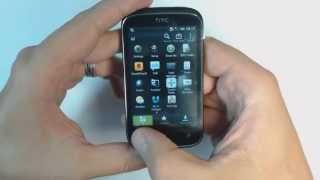


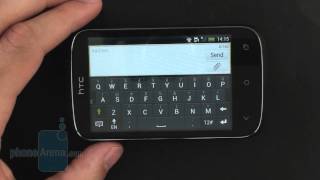
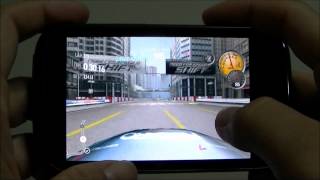
In Depth
Mid-range handsets running Android 4.0 Ice Cream Sandwich are still quite a rarity. Most manufacturers settle on releasing devices that only have Android 2.3 Gingerbread pre-installed, or worse, some other version of the Android software that’s even older, like Froyo or Eclair. But not HTC. You won’t have to worry about using a severely outdated version of Android with the HTC Desire C, because it runs the penultimate version of Android right out of the box. So it has it good in terms of software, but what about the hardware?
As a mid-range model, the Desire C comes equipped with a fairly modest set of features. It has a 3.5-inch HVGA touchscreen display, 5MP main camera, 4GB of internal storage, Bluetooth 4.0, Wi-Fi, GPS, and HSDPA data. The one thing that can put most prospective buyers off is the fact that it runs on a 600MHz processor and 512MB RAM. While it isn’t prohibitively slow, it’s certainly not as fast as other better-equipped smartphones, especially with the default software.
What about the battery you ask? Well, HTC promises 5 hours of talk time per charge. Of course, real life results will always vary depending on actual usage.
The consensus among reviewers is that the HTC Desire C offers acceptable levels of smartphone performance for normal use. The problem is that it may be priced a little too high, and for just a bit more extra cash you could place yourself into higher-end models, even HTC’s own selection of smartphones, for a much better overall experience.
Need to Know: HTC Desire C
1. Comes with Android 4.0 Ice Cream Sandwich pre-installed. (The Good)
2. Features excellent ergonomics and portability due to use of 3.5-inch screen. (The Good)
3. Battery life is not that good. (The Bad)
4. Seen by many as a bit too expensive for its overall feature-set. (The Bad)
What people actually want to know
When was the HTC Desire C released?
The HTC Desire C was released on June 1, 2012.
How long does the battery last on the HTC Desire C?
The HTC Desire C has a 1,230 mAh battery.
Does the HTC Desire C have a headphone jack?
Yes, the HTC Desire C has a 3.5mm headphone jack.
Where can I get support for the HTC Desire C?
Visit HTC's official support page for warranty info, repairs, and troubleshooting.
Where can I download the HTC Desire C manual?
You can view and download the HTC Desire C manual on our dedicated manual page.
Questions & answers
Loading answers…
Loading answers…
✓ Question submitted. We'll notify you when someone answers.
We sent a verification link to . Click it to publish your question.
Can't find it? Check your spam folder.
Finish the security check above to post your question.
Your name shows with your question.


New phones, honest scores.
One email when something worth knowing changes. No deal spam, no filler.
My HTC desire c which I have had for over a year has been freezing for more than 2 weeks.I deleted and cleared all unnecessary apps..I tried removing the battery etc but I still have this problem.what should I do?