

BlackBerry Pearl Flip 8230
Key specs
Critic consensus

“The RIM BlackBerry Pearl Flip 8230 offers 3G, GPS, good call quality, and BlackBerry's strong e-mail capabilities. The clamshell smartphone also has a 2-megapixel camera and supports BlackBerry App World. While not the flashiest or the most feature-rich device, the RIM BlackBerry Pearl Flip for Verizon Wireless is a decent and affordable choice for first-time smartphone buyers.”

“The Pearl Flip from Verizon is good choice for those who like the form factor of a flip phone and want to upgrade from their current dumbphone to something with more features and capabilities. All BlackBerry smartphones produced by Research in Motion are capable of delivering the same solution, so the Pearl Flip allows you to get in on BlackBerry benefits like push email, BlackBerry Messenger, and load up with apps which all tend to lead to getting hooked on BlackBerry. The media player and camera (with flash and video recording) make it a solid lifestyle device as well.”

“This is such an easy device to learn how to use and by far one of its greatest assets is the web experience. Viewing webpages on this is a joy as it renders pages as if it would on your computer. The actual speed is great (we tested this in both the Bell and TELUS version). On the Bell 8230 it comes loaded with NHL content so you can keep up to date on all your scores, highlights etc…”

“If we were to rate the Pearl Flip against the best phones on the market like the Bold, Fuze and iPhone 3G, it would absolutely be crushed and no one can deny that. But doing that would be foolish as this device is not at all intended to compete with such devices. So, taking into consideration where it stands in the market place, what it offers and how much it costs, we’d have to say that the Pearl Flip is definitely capable of holding its own. So what would we rate the TELUS BlackBerry 8230 Pearl Flip? 3.5 BG’s out of 5.”
Watch before you decide


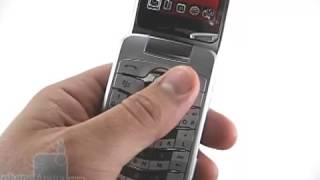
What people actually want to know
When was the BlackBerry Pearl Flip 8230 released?
The BlackBerry Pearl Flip 8230 was released on November 3, 2008.
How long does the battery last on the BlackBerry Pearl Flip 8230?
The BlackBerry Pearl Flip 8230 has a 900 mAh battery.
Does the BlackBerry Pearl Flip 8230 have a headphone jack?
Yes, the BlackBerry Pearl Flip 8230 has a 3.5mm headphone jack.
Where can I download the BlackBerry Pearl Flip 8230 manual?
You can view and download the BlackBerry Pearl Flip 8230 manual on our dedicated manual page.
Questions & answers
Loading answers…
✓ Question submitted. We'll notify you when someone answers.
We sent a verification link to . Click it to publish your question.
Can't find it? Check your spam folder.
Finish the security check above to post your question.
Your name shows with your question.
How it compares


New phones, honest scores.
One email when something worth knowing changes. No deal spam, no filler.
To delete contacts: 1. In the phone application, press the Menu key. 2. Click View Speed Dial List. 3. Highlight a contact or phone number. 4. Press the Menu key. 5. Perform one of the following actions: • To change the contact that is assigned to a speed dial key, click Edit. Click a new contact. • To assign the contact to a different speed dial key, click Move. Click a new speed dial key. • To delete the contact from the speed dial list, click Delete. To delete multiple messages: 1. On the Home screen, click the Messages icon. 2. Perform one of the following actions: • To delete a range of messages, highlight a message. Press and hold the Shift key. Roll the trackball up or down. Release the Shift key. Press the Menu key. Click Delete Messages. • To delete all messages prior to a certain date, highlight a date field. Press the Menu key. Click Delete Prior. Click Delete.