

BlackBerry 9720
Key specs
Critic consensus

“The BlackBerry 9720 delivers on its stated aim. It offers a mild upgrade option for enterprise customers still tied to BlackBerry services and not ready or willing to upgrade to BlackBerry 10.As a budget competitor for a wider audience, we're less convinced. Strong messaging credentials cannot make up for weaknesses in almost every other department.”

“The BlackBerry 9720 is a decent hardware QWERTY keypad smartphone, but unlike its BlackBerry 10 siblings, it does not deliver when it comes to multimedia consumption, and offers a primitive operating system compared to Android, BB10, iOS and Windows Phone based smartphones.”

“The BlackBerry 9720 is not only the cheapest BlackBerry smartphone with a touchscreen, but also a good phone for first time BlackBerry users. Instead of going for a non-touch entry-level BlackBerry Curve phones, people can definitely choose the 9720. Even though the camera resolution has been improved, the final output is just not up to the mark. This might be the last BlackBerry phone running in the OS 7 series. So, if you already have an older touchscreen QWERTY phone, you should probably wait for a cheaper BlackBerry 10 phone.”

“The device fails to impress with its processing capability. It has neither a front camera nor enough internal memory to lure users. The rear camera is okay and nothing outstanding, which would have at least negated its other demerits. The absence of a front camera makes things even worse. Moreover, the bleak future of BlackBerry 7.1 (currently there are very few apps) is not encouraging.However, it is to be noted that BlackBerry 9720 never meant to counter big screen devices. It looks very different in the crowd of touchscreen smartphones with Android, iOS and Windows Phone operating system. It is for those who want a physical keypad and not a touchscreen device. The 9720 combines the goods of a keypad and touchscreen well. It has decent battery back up.”
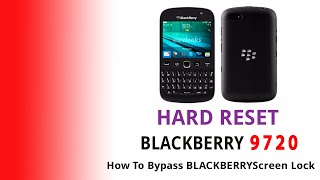
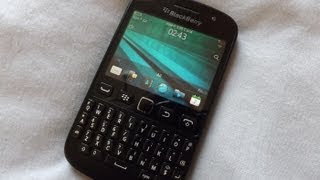
Watch before you decide





What people actually want to know
When was the BlackBerry 9720 released?
The BlackBerry 9720 was released on August 17, 2013.
How long does the battery last on the BlackBerry 9720?
The BlackBerry 9720 has a 1,450 mAh battery.
Does the BlackBerry 9720 support wireless charging?
No, the BlackBerry 9720 does not support wireless charging.
Does the BlackBerry 9720 have NFC?
Yes, the BlackBerry 9720 has NFC. You can use Google Wallet, Apple Pay, and tap-to-pair with Bluetooth accessories.
Where can I download the BlackBerry 9720 manual?
You can view and download the BlackBerry 9720 manual on our dedicated manual page.
Questions & answers
Loading answers…
✓ Question submitted. We'll notify you when someone answers.
We sent a verification link to . Click it to publish your question.
Can't find it? Check your spam folder.
Finish the security check above to post your question.
Your name shows with your question.
How it compares


New phones, honest scores.
One email when something worth knowing changes. No deal spam, no filler.
N0o I can't, what's up kante?? Mxm.. Useless smart phone!!