

Key specs
Watch before you decide


In Depth
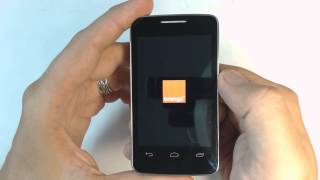
With it’s 3.5-inch touchscreen display, 2 megapixel camera and a range of apps and services, the Alcatel 3040 is an affordable pay-as-you-go device that attempts to emulate the latest smartphone technology.
While the 260-mhz processor and 128MB of RAM won’t allow for multitasking or other processor intensive tasks, reviews from Usapang Tekno claim that the device works well and is responsive for basic features, such as emailing, texting or checking on your social media accounts.
The screen on the phone features a 320-by-480 pixel resolution. While this is enough for daily use, it’s far from HD. However, reviews state that text is clear and the screen is bright. For added flexibility, a dual-sim model, the 3040D, is available in some markets. A single three-hour charge is stated to yield 8 hours of talk time, 17 hours of music playback and nearly three weeks of standby time.
While the phone is not a cutting edge device, it’s not priced as one. For a starter smartphone, or as a backup for your newer device, the price makes the phone a respectable bargain.
The Good: Affordable pricing, exceptional battery life and support for memory cards.
The Bad: Weak processor, low-resolution display, limited app support and low-resolution camera.
What people actually want to know
When was the Alcatel One Touch 3040 released?
The Alcatel One Touch 3040 was released on May 20, 2013.
How long does the battery last on the Alcatel One Touch 3040?
The Alcatel One Touch 3040 has a 1,000 mAh battery.
Does the Alcatel One Touch 3040 support wireless charging?
No, the Alcatel One Touch 3040 does not support wireless charging.
Does the Alcatel One Touch 3040 have a headphone jack?
Yes, the Alcatel One Touch 3040 has a 3.5mm headphone jack.
Does the Alcatel One Touch 3040 have NFC?
No, the Alcatel One Touch 3040 does not have NFC. Contactless payments and tap-to-pair will not be available.
Where can I download the Alcatel One Touch 3040 manual?
You can view and download the Alcatel One Touch 3040 manual on our dedicated manual page.
Questions & answers
Loading answers…
Loading answers…
✓ Question submitted. We'll notify you when someone answers.
We sent a verification link to . Click it to publish your question.
Can't find it? Check your spam folder.
Finish the security check above to post your question.
Your name shows with your question.
How it compares



New phones, honest scores.
One email when something worth knowing changes. No deal spam, no filler.
How do i remove the lucky try icon from my Alcatel one touch? I have already tried touch and holding icons on the home screen But still it comes again